What Is utm_campaign and How Does It Power GA4 Marketing Reports?
This guide explains why utm_campaign is a key part of your GA4 campaign reporting process and how to use it in a scalable way when creating trackable marketing links.
What You’ll Learn
- You’ll learn what
utm_campaigndoes, how to add it to your URLs, and where to find campaign data in Google Analytics. - You’ll also see practical ways to manage
utm_campaignvalues across teams, tools, and reporting workflows.
Test Your Knowledge
To make the guide more useful, we’ve included a short quiz at the end.
It is a simple way to check your understanding and reinforce what you’ve learned.
Why utm_campaign Matters for GA4 Marketing Reports
If you run digital marketing campaigns, performance tracking is not optional; you need a consistent way to understand which campaigns are driving traffic and results.
The Role of utm_campaign
One of the most important Google Analytics campaign parameters is utm_campaign.
It helps group traffic from different links into campaign-level reporting buckets, so your reports are easier to organize and analyze.
Why The UTM Campaign Parameter Is So Useful
For example, one campaign may include email links, paid social ads, display banners, QR codes, and partner promotions.
By using the same utm_campaign value across those related links, you can review them as one campaign in your analytics reports.
1. What Eaxactly Is utm_campaign?
UTM_campaign is a query string added at the end of a weblink. It has a constant component (utm_campaign=) and a variable component that changes with each new campaign (i.e. 2026 Spring Sale). Marketers add it to promotional URLs so analytics tools can group related traffic under one campaign name.
utm_campaign in Simple Terms
It works alongside other UTM parameters, such as utm_source and utm_medium.
Together, these values help Google Analytics understand where traffic came from and which campaign it belongs to.
utm_campaign in Detail
Specifically, utm_campaign helps you group related links under one campaign name.
As a result, your campaign reports become more organized and easier to analyze.
How to Add utm_campaign to a URL
To add utm_campaign without breaking the link, use a question mark followed by the parameter.
Here is a simple example:
- Base link:
https://www.campaigntrackly.com - With
utm_campaign:https://www.campaigntrackly.com?utm_campaign=name-of-your-marketing-campaign - Example: https://www.campaigntrackly.com?utm_campaign=name-of-your-marketing-campaign
2. Why Do You Need the utm_campaign query string?
utm_campaign is essential because Google Analytics uses it to group trackable marketing links into campaign reporting buckets.
How Google Analytics Uses utm_campaign
In Universal Analytics, campaign data appeared under the Acquisition section of your reports, including Custom Campaigns and Campaigns reporting.
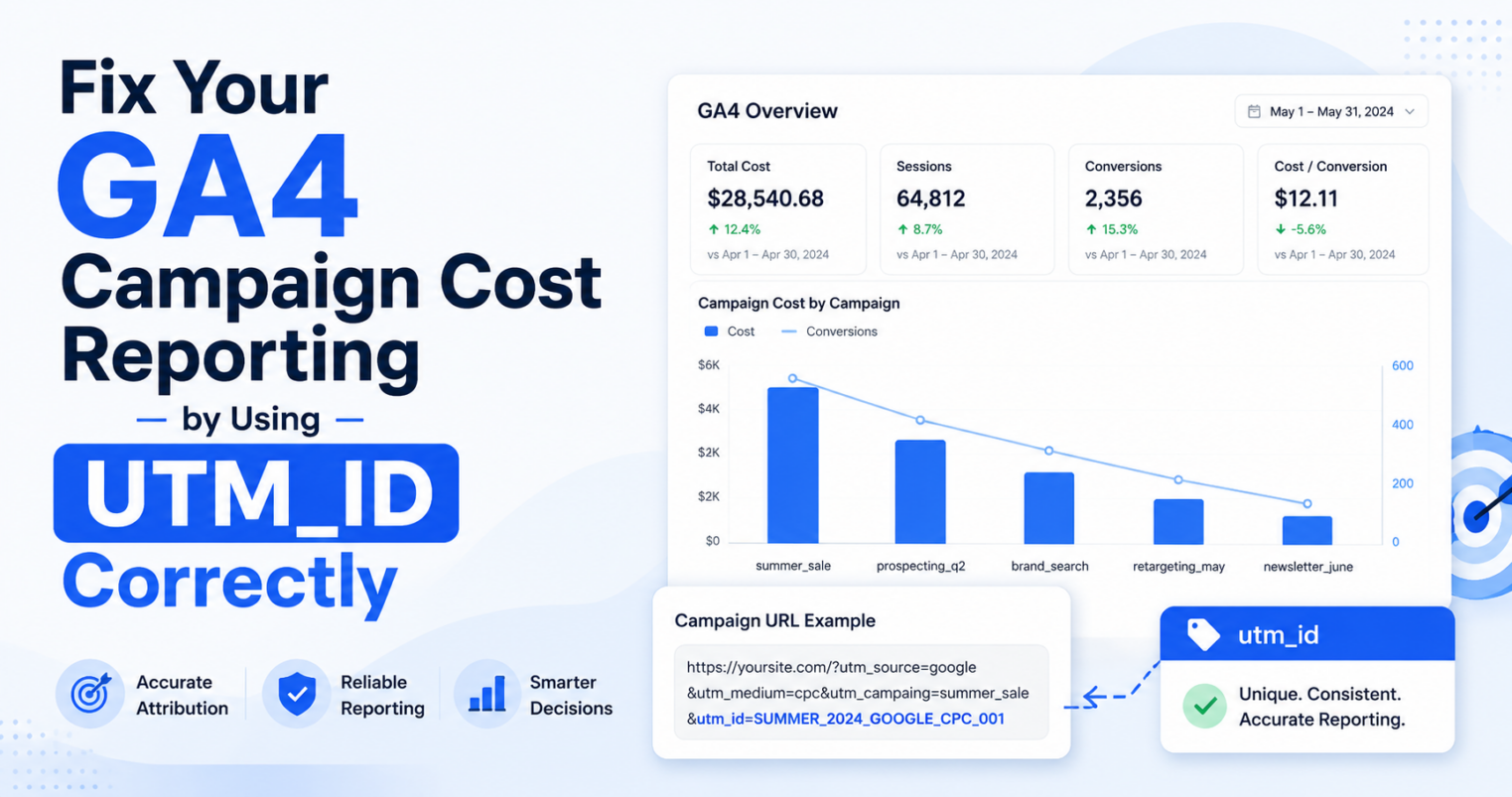
In GA4, campaign values appear across acquisition and traffic reports, including campaign-related dimensions in acquisition reporting.
Why Missing utm_campaign Creates Problems
utm_campaign is one of the values you need when tagging a marketing link for campaign reporting.
Without this parameter, your links may not be recognized as part of a campaign, and your reports can become fragmented or incomplete.
- It helps group related marketing links under the same campaign name.
- It gives your reporting structure a consistent campaign-level value.
- It reduces confusion when the same campaign runs across multiple channels.
3. Where Can You Find Campaign Reports in Google Analytics?
Once you add utm_campaign values to your links, you can review campaign performance inside Google Analytics reports.
Finding Campaign Reports in Universal Analytics
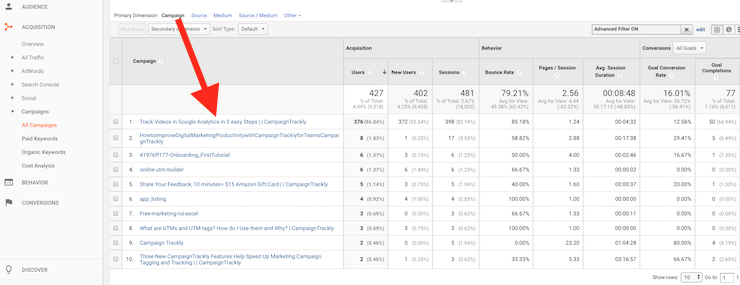
In Universal Analytics, you had to navigate to Acquisition > Campaigns > All Campaigns to view campaign data.
This report showed both your custom utm_campaign tags and any active Google Ads campaigns.
Finding Campaign Reports in GA4
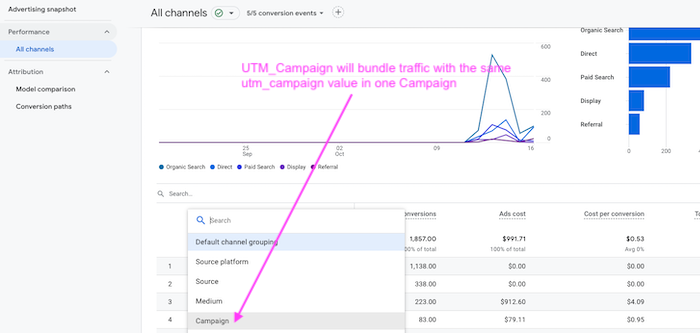
In GA4, you can find campaign data in acquisition reports, including the Acquisition Overview, User Acquisition, and Traffic Acquisition reports.
Depending on your reporting setup, you may also use campaign dimensions to analyze traffic by campaign name.
4. Why Was utm_campaign Created in the First Place?
Marketing teams run many initiatives at the same time, so they need a consistent way to group those initiatives into campaigns.
Campaigns Create Reporting Buckets
Instead of looking at every link separately, teams can group related links under one campaign value.
This makes campaign reporting easier to understand and more useful for decision-making.
Campaign Groupings Help Teams Measure Results
These campaign groupings allow marketers to define a clear objective and connect related assets to the same reporting bucket.
They also make it easier to understand which links, channels, and assets helped drive traffic and conversions.
- Define a clear objective
- Set measurable KPIs
- Assign content assets to each effort
- Track which links drove traffic and conversions
How utm_campaign Brings Consistency
Consequently, utm_campaign was introduced as a way to bring more consistency to campaign reporting.
You can see an example of this in our eBook campaign template, which includes an infographic you can use in your own marketing efforts.
5. Do You Create the utm_campaign Tag in Google Analytics?
No, Google Analytics reads utm_campaign values, but it does not create them for you.
Google Analytics Reads the Data
Your analytics platform is built to understand UTM parameters and group incoming traffic into meaningful reporting buckets.
However, it only reads the values that arrive with the link; it does not generate your utm_campaign names.
You Need to Create the Values Before Launch
That means you need to create your utm_campaign value before the link is published.
You can do this in several ways, depending on your team size, workflow, and governance needs.
- Using an online platform that specializes in building UTM codes and campaign links, which is usually the easiest option to scale
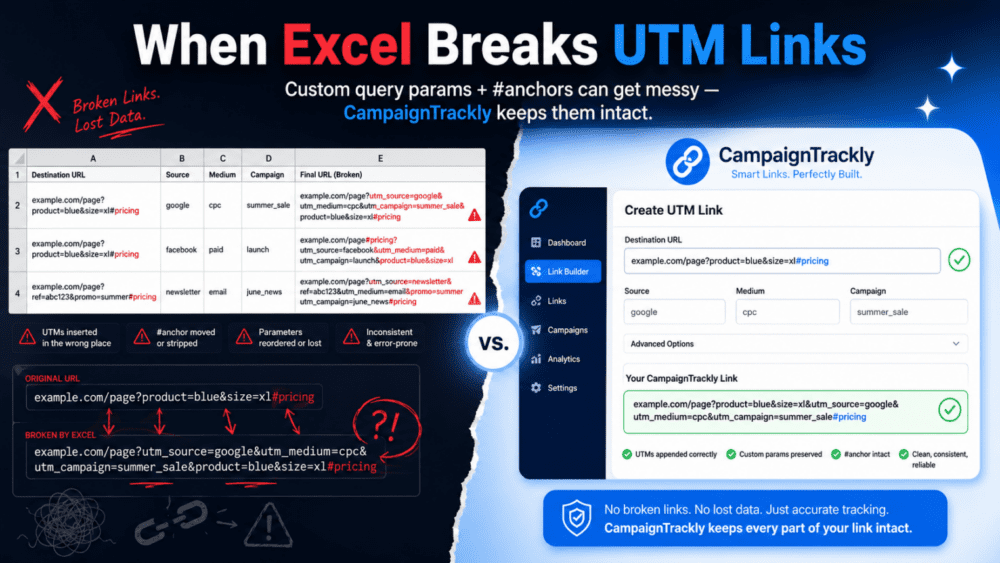
- Using an Excel spreadsheet or Google Sheet, which can be moderately scalable
- Entering the codes manually every time, which is usually not scalable
5a. Manual vs. Automated utm_campaign Tagging
When building your campaign links, you can enter the utm_campaign value manually or generate it through a more structured process.
Manual Entry
With manual entry, users type the campaign name directly every time they tag a link.
While this is flexible, it often leads to inconsistent spelling, formatting, and naming, which can weaken reporting accuracy.
Automated Entry
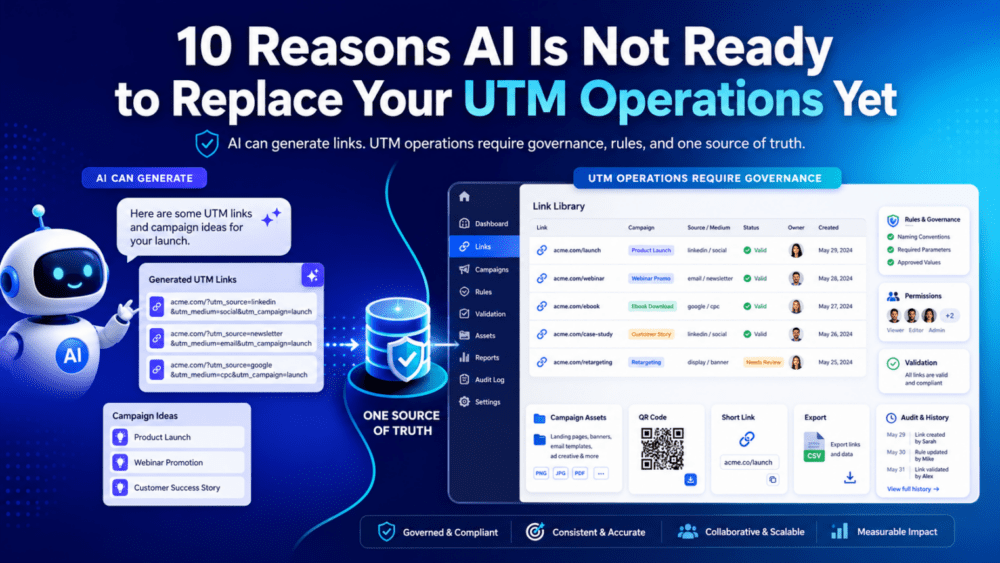
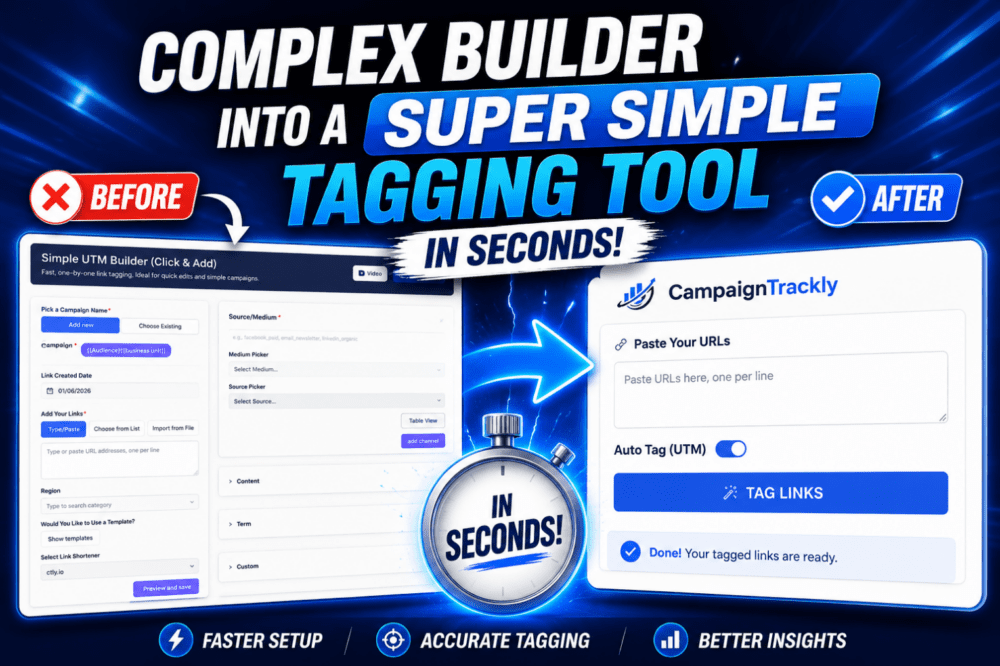
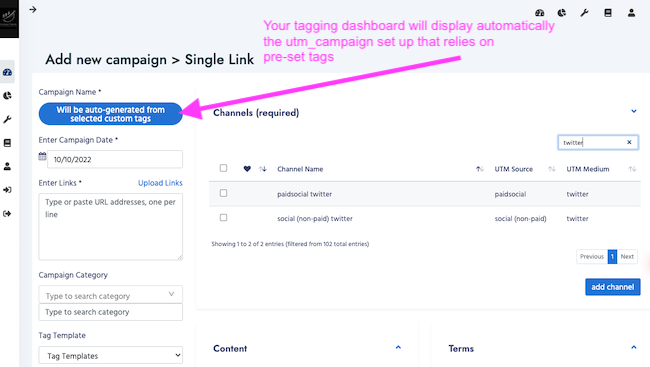
With automated entry, tagging platforms like CampaignTrackly can auto-fill the campaign name using dropdowns, templates, and predefined rules.
This approach helps keep campaign values consistent and reduces human error.
5b. Using Custom Tags to Create Campaign Names
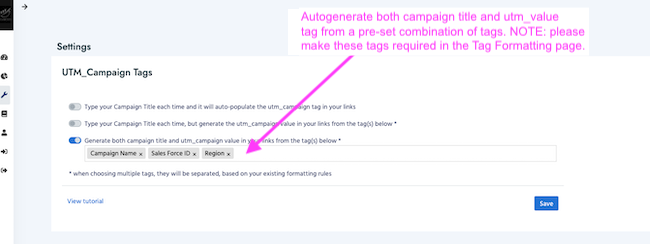
Instead of relying on free-form entry, many teams use structured custom tags to generate campaign names.
How Custom Tags Help
For example, you might require each utm_campaign value to include the year, month, region, and brand.
This method adds consistency and scalability to your analytics process.
Example Campaign Name
For instance, a campaign tag like 2025-june-us-nike instantly communicates the campaign’s timing, region, and brand.
Furthermore, it becomes easier to segment and analyze results because the campaign name follows a clear structure.
5c. Centralized Campaign Governance: Pros and Cons
In some teams, the account admin pre-creates all campaign names for the year so users select from an approved list instead of adding new names.
Why Centralized Governance Helps
This centralized approach helps avoid duplicate or misnamed entries.
As a result, your campaign data stays cleaner and easier to manage.
The Trade-Off
However, centralized governance can also reduce flexibility.
You may miss opportunities to track smaller, high-performing initiatives that were not planned in advance.
- Benefit: Fewer errors and a smaller, standardized set of campaigns.
- Drawback: You may miss opportunities to track smaller, high-performing initiatives that were not planned in advance.
Finding the Right Balance
Choosing the right balance between flexibility and control depends on your team’s structure and goals.
Either way, the key is consistency.
Our Recommendations for utm_campaign Values
To keep campaign reporting clean, your utm_campaign values should be structured, consistent, and easy for users to apply correctly.
Use Roll-Up Buckets Carefully
It is useful to create large roll-up reporting buckets such as region, country, or master brand.
However, you can often track those using Google Analytics custom dimensions instead of forcing everything into utm_campaign.
Create Campaign Naming Conventions
For utm_campaign values, build a sustainable marketing taxonomy first and then set up naming conventions by channel type or campaign type.
Then, make sure your users are trained to follow those rules.
Choose a Platform That Supports Adoption, Integrations and the Full Lifecycle of Your Links
Your tagging platform selection is very important here.
The easier it is for users to follow your conventions, the more enjoyable and adoptable your process will be.
- Create roll-up reporting buckets carefully, such as region, country, or master brand.
- Use custom dimensions when they are a better fit than
utm_campaign. - Set naming conventions by channel type or campaign type.
- Train users to follow the naming rules.
- Choose a platform that makes the correct process easy to follow.
Take the utm_campaign Quiz to Solidify Your Knowledge
Now that you understand what utm_campaign is and how it supports campaign reporting, take the short quiz below to test your knowledge.
Conclusion
In this guide, you learned what utm_campaign is, why it matters for Google Analytics reporting, and how it helps group marketing traffic into meaningful campaign reports.
What We Covered
We walked through how to add utm_campaign to your links, where to find campaign data in Universal Analytics and GA4, and why campaign naming consistency matters.
We also reviewed manual entry, custom tags, centralized campaign governance, and practical recommendations for keeping your values clean.
The Main Takeaway
Whether you prefer manual entry, custom tags, or a fully governed list of campaigns, the goal is the same.
Your utm_campaign values should stay consistent across your team, tools, and reporting process.
Need Help Managing utm_campaign Tags?
A user-friendly tagging platform can make or break your process.
Try CampaignTrackly to build, manage, and analyze your utm_campaign tags without the chaos.
Questions or Feedback?
Have questions or feedback?
Reach out to us anytime at support@campaigntrackly.com.
Tags: utm_campaign, utm campaign parameter, campaign tracking parameter, Google Analytics campaign reporting
Pre-Launch Tool
Free 3-Minute GA4 UTM Campaign Tracking QA Checklist
Don’t launch with broken tracking. Use this quick 3-minute guide to validate your UTM parameters and ensure 100% accurate attribution.
The QA Checklist Covers:
👉 Get the 3-Minute QA Checklist
Stop “Unassigned” traffic before it starts.
utm_campaign FAQ
What is utm_campaign?
utm_campaign is a UTM parameter used to identify the marketing campaign behind a link. It helps Google Analytics and GA4 group related campaign traffic under one campaign name.
What does utm_campaign track?
utm_campaign tracks the campaign name associated with a marketing link. For example, it can identify traffic from a product launch, seasonal promotion, webinar campaign, or lead generation effort.
Is utm_campaign required?
utm_campaign is strongly recommended for campaign reporting because it tells analytics tools which campaign the visit belongs to. Without it, campaign-level reporting can become incomplete or harder to analyze.
How do I add utm_campaign to a URL?
You add utm_campaign after a question mark in the URL. For example: https://example.com?utm_campaign=summer_launch. If the URL already has another parameter, add it with an ampersand.
What is a good utm_campaign example?
A good utm_campaign value is clear, consistent, and easy to understand. Examples include summer_launch, webinar_q3, black_friday_2026, or customer_retention_email.
Where can I see utm_campaign in GA4?
In GA4, campaign values can appear in acquisition reports, including Traffic Acquisition and User Acquisition. You can use campaign-related dimensions to review performance by campaign name.
Can multiple links use the same utm_campaign value?
Yes. In fact, related links should often use the same utm_campaign value so they roll up under one campaign in your reports. You can then use other parameters, such as utm_source, utm_medium, and utm_content, to separate channels, placements, or creatives.
Should utm_campaign include source or medium?
Usually, no. Source and medium should be tracked with utm_source and utm_medium. The utm_campaign value should focus on the campaign name so your reports stay clean and easy to read.
What happens if utm_campaign names are inconsistent?
Inconsistent utm_campaign names can split one campaign into multiple report rows. For example, summer_launch, Summer-Launch, and summerlaunch may be treated as different campaign values.
How should I name utm_campaign values?
Use a consistent naming convention that your team can follow. Keep values lowercase, avoid spaces, choose one separator such as underscores or hyphens, and document examples before campaigns go live.