
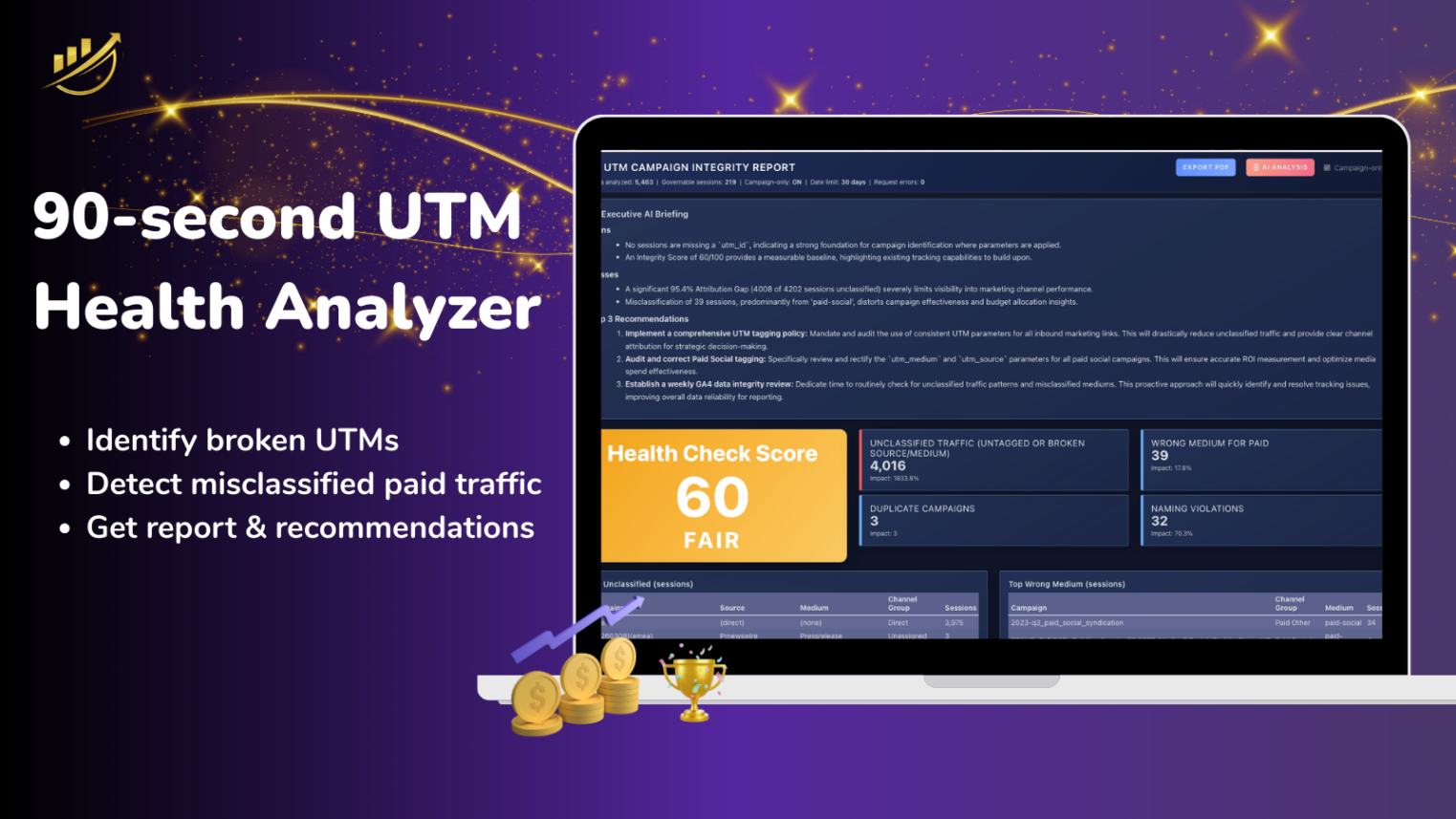





Stop guessing. 📊 Watch how our 90-second Health Check Analyzer uncovers the hidden ‘revenue leaks’ in your GA4 campaign data.
This GA4 Marketing Campaign Data Integrity Audit Checks Your UTM Risk
It is a fully automated Google Analytics audit that detects broken UTM parameters and GA4 campaign tracking errors.
What you will receive
- Integrity Score (Low / Moderate / High Risk)
- AI-driven Executive-Level Integrity Brief
- Breakdown of Structural Wins & Failures
- Details and improvement opportunities
What insights do you get
- Translate tracking gaps into business risk
- Quantify misplaced attribution
- Identify low-hanging fruit
- Prioritize remediation
Why run a GA4 audit
To prevent:
- Budget loss & misallocation
- Channel conflict
- AI training contamination
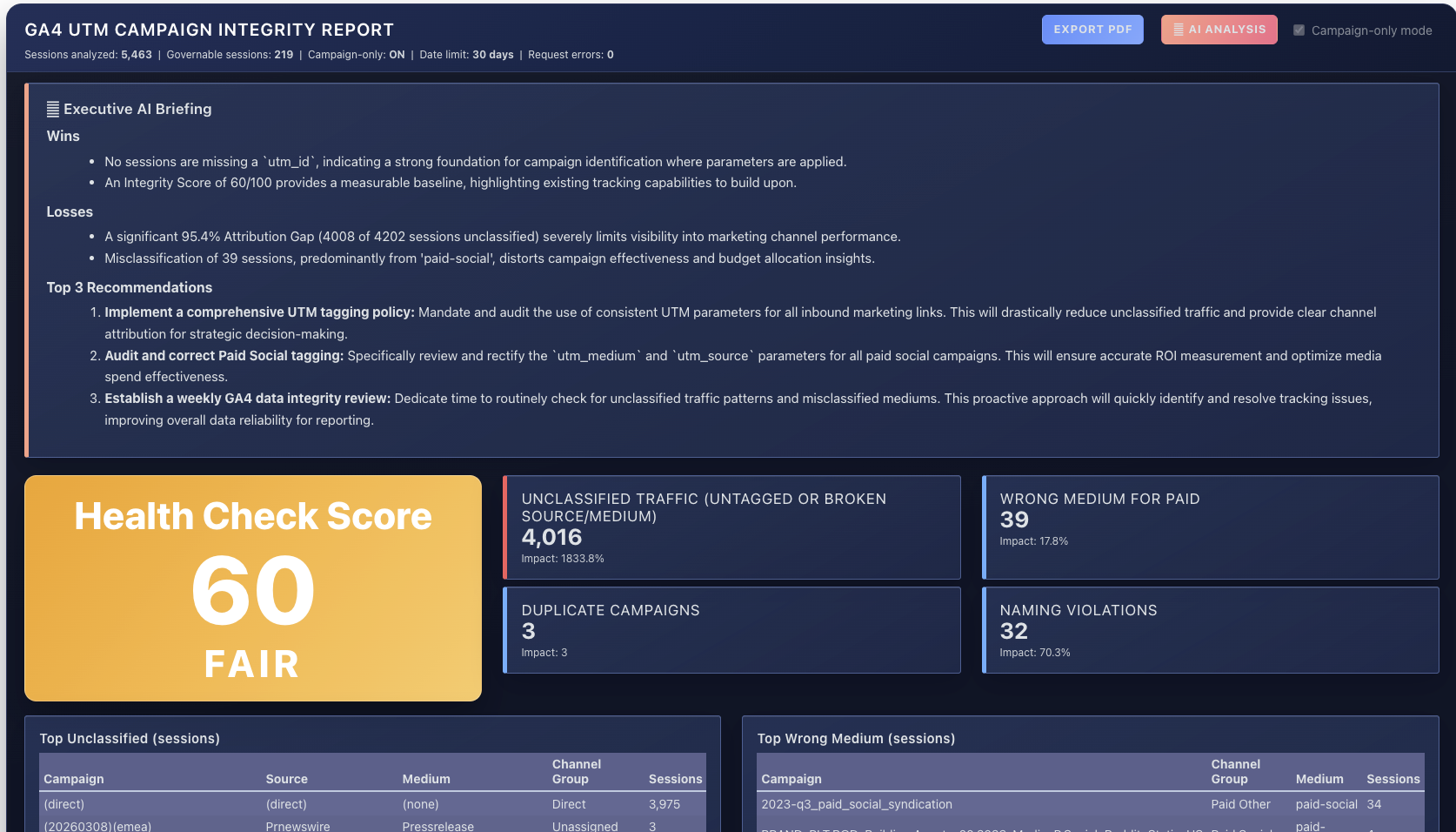
What The GA4 Data Integrity Score Reveals & How it Works
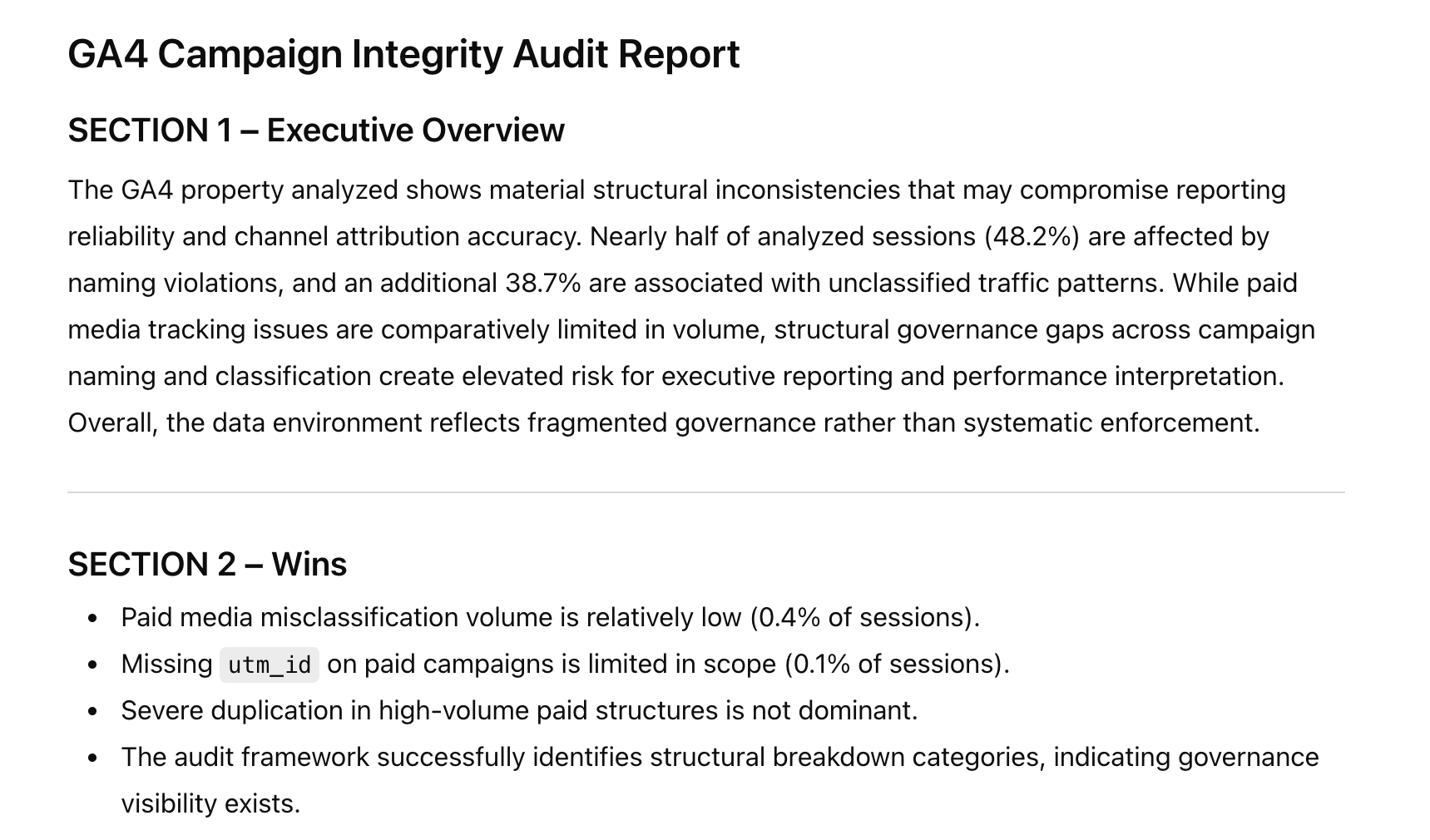
Run Your GA4 Campaign Integrity Report and Use Outcomes to:
- Demonstrate structural wins and breakdowns
- Justify governance improvements
- Align teams on data standards
- Prioritize remediation actions by impact
Strengthen Your GA4 Campaign Tracking Strategy
Get bullet-proof GA4 Campaign Tracking
Align GA4 with Your CampaignsSee the 6 Easy Steps to Gain Control of Your Data
Read the 6 easy steps here.10 UTM Tracking Issues that Break Attribution
Fix Underlying IssuesFind Out What is Impacting Your Data
Check if you have the same 10 issues.Frequently Asked Questions
0) Why does GA4 campaign integrity matter?
If your UTMs or mediums are misclassified, GA4 may group paid traffic as “Direct” or “Other.”
That distorts channel performance, misleads budget decisions, and hides underperforming campaigns.
- Most teams don’t realize reporting is wrong until months later.
- This audit shows you whether your data can be trusted.
1) What is a GA4 Campaign & UTM Data Integrity Audit?
It’s a structured health check of your GA4 campaign tracking. The audit scans the last 30 days to identify issues like unclassified traffic, incorrect paid mediums, missing utm_id, duplicate campaign names, and naming inconsistencies that distort reporting.
2) Is this audit really free?
Yes. You can run the audit for free. No credit card required.
3) What do I need to run the audit?
You need a GA4 property and permission to connect it using read-only access. Once connected, you can run the audit from inside CampaignTrackly.
4) What GA4 access do you request?
Read-only access. CampaignTrackly uses this connection only to analyze campaign tracking integrity and generate your report. You can disconnect at any time.
5) How long does the audit take?
Most audits complete in under 5 minutes. You’ll see your Integrity Score and flagged issues as soon as analysis finishes.
6) What issues does the audit detect?
Common findings include:
-
Unclassified traffic (
direct,not set, missing campaign info) -
Wrong medium values for paid traffic (breaks GA4 channel grouping)
-
Missing
utm_idfor paid campaigns -
Duplicate campaign names across source/medium combinations
-
Naming violations and inconsistent formatting (case/separators/characters)
7) Can I export the results to share with leadership?
Yes. You can export a high-level report designed to share with stakeholders, plus an AI-ready CSV for deeper analysis.
8) Can I use AI to generate recommendations from my export?
Yes. Download the AI-ready CSV and use our copy-and-paste prompt to get instant insights, root causes, and a prioritized fix plan from ChatGPT, Gemini, or Claude.
9) Will this fix my UTMs automatically?
The free audit highlights what’s breaking and where. CampaignTrackly’s governance features can help teams standardize and enforce naming conventions going forward.
10) Will this change anything in my GA4 property?
No. The audit is strictly read-only.
CampaignTrackly does not modify data, settings, channel groupings, or historical reports. You stay fully in control.







