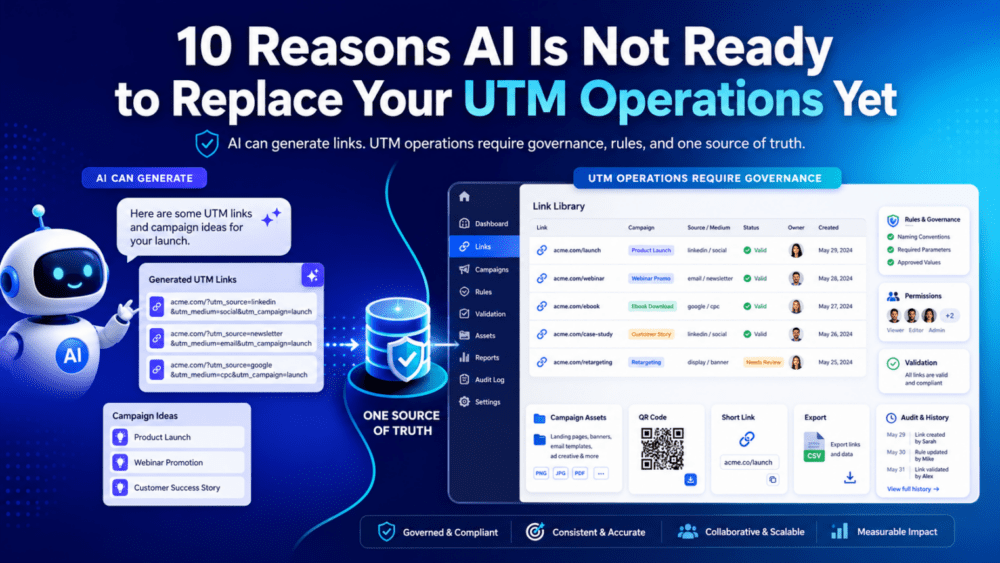
Naturally, that raises the question: can AI take over UTM tracking too?
AI can generate tracking links. However, UTM operations require much more than just link generation.
Why This Question Matters
Firstly, a tracking link is not just a URL. It is a data asset that affects reporting, attribution, campaign decisions, and budget conversations.
Secondly, the real concern is not whether AI can create a UTM link. Of course it can.
What we should be asking instead is…
Can AI centralize your links, enforce your rules, validate your URLs, manage permissions, store every campaign asset, and give your whole team one source of truth?
Right now, the answer is: not reliably.
AI can absolutely help with campaign planning and link generation. But a successful UTM operation depends on something AI is not naturally built for: rigid consistency, centralized governance, structured storage, team visibility, permissions, and repeatable execution.
UTM tracking is not just about generating a link. It is about protecting the quality of your campaign data.
Here are 10 reasons why Gen AI is not ready to replace your UTM operations yet.
1. AI Is Probabilistic. UTMs Must Be Deterministic.
Generative AI works by predicting likely outputs. That is useful when you are writing an email subject line or brainstorming a campaign theme.
However, UTM tracking does not need creativity. It needs exactness.
Example: One LinkedIn Campaign, Four Possible Outputs
If you ask AI to create a tracking link for a paid LinkedIn campaign, it may generate this:
utm_source=linkedin&utm_medium=paid_socialThat may be your approved format. However, with a slightly different prompt, it may generate:
utm_source=LinkedIn&utm_medium=cpcOr this:
utm_source=lnkd&utm_medium=paid-socialOr even this:
utm_source=linkedin_ads&utm_medium=paid socialWhy This Breaks Reporting
To a human, those values look related. However, to Google Analytics, Adobe Analytics, HubSpot, Salesforce, Looker Studio, or a BI dashboard, they are different strings.
As a result, your campaign data can split across multiple rows and reports.
In UTM tracking, “close enough” is not good enough. The value must be identical every time.
2. AI Understands Meaning. Analytics Platforms Read Strings.
Inherently, AI understands that “paid social,” “LinkedIn CPC,” and “sponsored LinkedIn” may refer to similar marketing activity.
However, analytics platforms do not interpret your intent. They read the exact text in the URL.
Example: Similar Words, Different Report Values
utm_medium=paid_social
utm_medium=Paid Social
utm_medium=paid-social
utm_medium=paidsocial
utm_medium=cpc
utm_medium=sponsored_social
These may all describe a paid social effort. Nonetheless, they can appear as separate values in your reports.
The Governance Lesson
A dedicated UTM platform removes that ambiguity. Instead of asking users or AI to invent values, it gives them approved dropdowns and locked naming rules.
Therefore, if the approved value is paid_social, the platform keeps it paid_social.
3. Context Drift Can Quietly Break Naming Conventions.
AI can follow instructions, but it can also drift away from them over time. This is especially risky when a team depends on naming conventions that must stay consistent for months or years.
Example: One Campaign Naming Rule, Many Variations
Suppose your company uses this campaign naming structure:
year_quarter_region_product_objectiveSo the approved campaign value should look like this:
2026_q3_us_webinar_leadgenHowever, AI may later produce:
q3_2026_us_webinar_leadsOr:
2026-Q3-US-Webinar-LeadGenOr:
us_webinar_leadgen_q3Why It Matters
Each version is understandable. Still, each version can create reporting inconsistency.
By contrast, a governed UTM platform does not rely on a chat window to remember your naming convention. The rule lives inside the system.
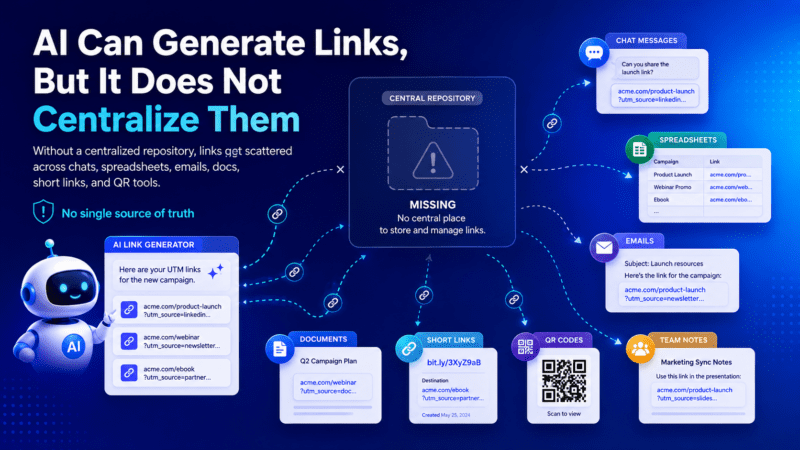
4. AI Can Generate Links, But It Does Not Store them Centrally.
This is one of the biggest gaps in an AI-only workflow.
Let’s say AI creates ten campaign links for you. Great.
But Then What?
- Where do those links live?
- Who can see them?
- Can another team member find them next week?
- Can your agency access the approved version?
- Can your manager review all links created for the campaign?
- Can you tell which links have clicks and which links have zero clicks?
Without a centralized system, the links may end up scattered across chats, spreadsheets, Slack threads, email chains, agency documents, shortener tools, and QR code tools.
That Is Not a UTM Operation
That is a scavenger hunt.
A dedicated UTM platform gives every tracking link a permanent home inside a campaign dashboard.
💡 How CampaignTrackly Fixes This
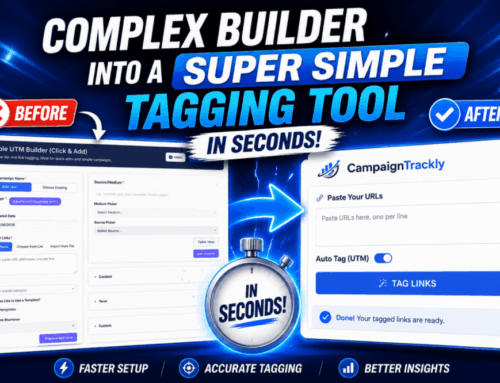
Our centralized dashboard completely eliminates both human and AI error. By enforcing strict naming templates and locked dropdown menus, we act as your data guardrail—guaranteeing 100% consistent, perfectly formatted tracking links every single time.
Is Your UTM Tracking Safe?
Watch the 40-second video to see how to prevent UTM errors that hide your hard-earned results.
3-Minute UTM QA & Pre-Launch Checklist
5. Zero-Click Links Still Need Visibility.
Many teams only think about tracking links after clicks start coming in. However, the links with zero clicks are often just as important.
A Zero-Click Link May Mean:
- The campaign has not launched yet.
- The agency has not placed the ad.
- The email has not been sent.
- The QR code has not been scanned.
- The sales team has not used the link.
- The link was created but forgotten.
- The link is broken before launch and needs to be fixed.
Why This Matters Before Launch
Because of that, visibility into all links matters before the first click ever happens.
A centralized UTM dashboard lets teams review, QA, reuse, export, and manage tracking links even before campaign activity starts.
6. AI Does Not Centralize Your Rules.
By default, UTM governance depends on rules. Not suggestions, not preferences, and not “please remember this next time.”
Rules Usually Include Things Like:
- Approved
utm_sourcevalues. - Approved
utm_mediumvalues. - Required
utm_campaignformats. - Required
utm_idvalues for paid media. - Lowercase formatting.
- Underscore or dash separators.
- Channel-specific tagging rules.
- Custom parameters for business units or products.
- Paid media macro values.
- Shortener and QR code settings.
- Export permissions.
Where Do Those Rules Live in an AI Workflow?
- In the prompt?
- In a PDF?
- In a spreadsheet?
- In someone’s memory?
- In last month’s chat history?
- In custom instructions only one person uses?
That is fragile.
What a Governed Platform Does Instead
A dedicated UTM platform centralizes the rules. Admins can define approved values, lock naming conventions, require fields, hide advanced options, and control what each team can do.
As a result, governance is not dependent on perfect prompting. It is built into the workflow.
7. AI Does Not Naturally Handle Team Sharing.
UTM tracking is rarely a solo task. In most organizations, many people touch the same campaign.
A Single Campaign May Involve:
- Demand generation.
- Paid media.
- Email marketing.
- Social media.
- Field marketing.
- Agencies.
- Sales teams.
- Analytics teams.
- Regional teams.
The Sharing Problem
Typically, AI can generate a link for one person in one conversation. However, it does not automatically create a shared workspace where the whole team can find and reuse approved links.
Consequently, one person may create the original LinkedIn links, while another person recreates them because they cannot find them.
How the Mess Starts
- An agency uses an outdated version.
- A regional team builds a local variation.
- A sales team copies a link from an old deck.
- An email marketer grabs a link from Slack.
- A paid media manager shortens a different version.
Now the campaign has multiple versions of “the same” link.
The issue is not that people are careless. The issue is that there is no shared source of truth.
8. AI Does Not Enforce Permissions.
Not every user should be allowed to do everything. Therefore, permissions are a major part of UTM governance.
Example Permission Rules
- A junior marketer can create links but cannot create new campaign names.
- An agency can use approved values but cannot change naming conventions.
- A regional team can access only its own folder.
- A paid media manager can use dynamic macros.
- An admin can decide which fields are required, hidden, or editable.
Why AI Alone Is Not Enough
AI does not naturally know your team structure, user roles, folders, or approval process.
Even when AI is connected to other tools, the AI is not the governance layer. The underlying platform is.
9. AI Can Mishandle URL Syntax Edge Cases.
UTM links are not just labels. They are URLs, and URLs have strict rules.
Example: The Second Question Mark Problem
If a destination URL already has a question mark, you cannot add another one.
Incorrect:
https://example.com/page?product=123?utm_source=linkedinCorrect:
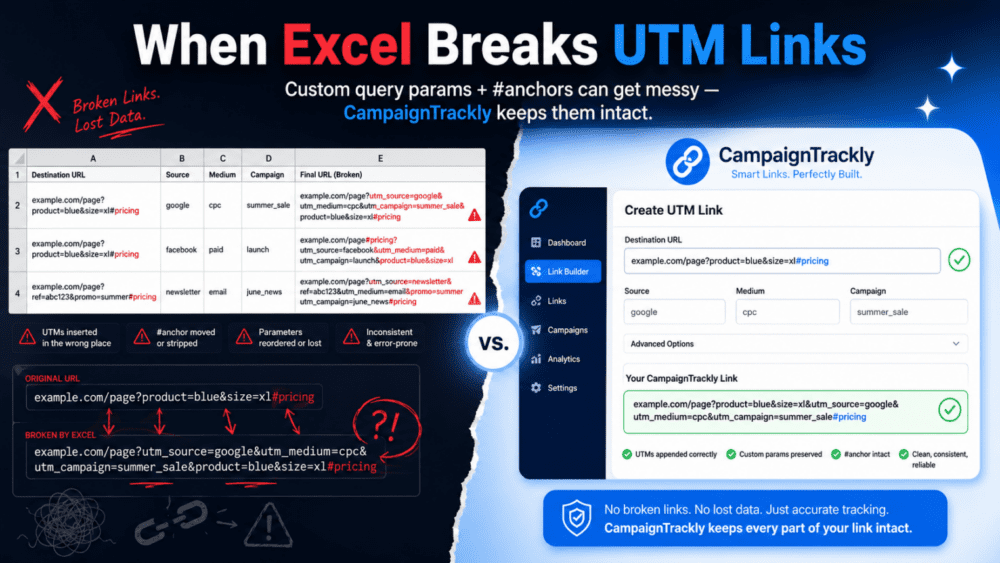
https://example.com/page?product=123&utm_source=linkedinExample: The Hashtag or Anchor Problem
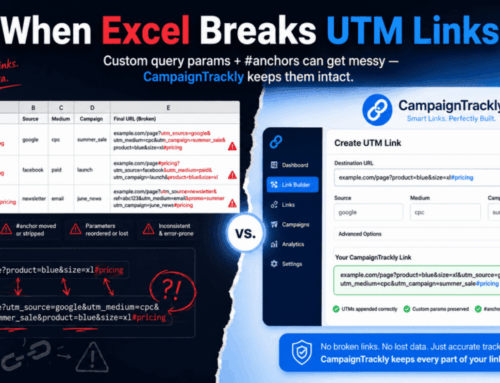
Anchor links also need careful handling because UTM parameters usually need to come before the hashtag.
Incorrect:
https://example.com/page#pricing?utm_source=email&utm_medium=newsletterCorrect:
https://example.com/page?utm_source=email&utm_medium=newsletter#pricingWhy This Gets Risky
AI may generate a link that looks correct at first glance. However, if the UTMs are placed after the hashtag or added with the wrong separator, tracking can fail.
Conversely, a dedicated UTM platform can validate the destination URL, detect existing parameters, preserve anchors, and build the final URL correctly.
10. AI Does Not Automatically Connect the Full Link Lifecycle.
A campaign link often goes through several stages. First, there is a destination URL.
Then it becomes a UTM-tagged URL. After that, it may become a short link, a QR code, an export file, or an agency-ready campaign asset.
The Lifecycle Often Looks Like This:
- Original destination URL.
- UTM-tagged URL.
- Shortened URL.
- QR code.
- Exported campaign file.
- Agency handoff.
- Campaign launch.
- Click visibility.
- Reporting and analysis.
The AI-Only Problem
In an AI-only workflow, each step may happen in a different place.
For example, the UTM link may live in a chat, the short link in a shortener, the QR code in another tool, and the export file in a spreadsheet.
Why Centralization Wins
A dedicated UTM platform connects the lifecycle. As a rule, it keeps the original URL, UTM link, short link, QR code, export, campaign record, and click visibility together.
That connection matters because campaign tracking is not a single task. It is an operational workflow.
Dedicated UTM Platform vs. Agentic AI
At first, AI and a dedicated UTM platform may seem similar because both can produce tracking links.
However, once you look at the full operation, the difference becomes much clearer.
Feature |
Dedicated UTM Platform |
Agentic AI / LLMs |
|---|---|---|
Consistency |
Uses locked dropdowns, required fields, and validation rules.For example, |
May create reasonable variations like paid-social, Paid Social, cpc, or social_paid depending on the prompt. |
Speed at Scale |
Generates many link variations from approved values, then stores them under the right campaign. |
Can write many links, but the output still needs to be checked, copied, stored, shortened, and organized somewhere else. |
Centralized Link Dashboard |
Shows all campaign links in one place, including links with clicks, zero-click links, short links, QR links, and export-ready links. |
Produces links in a chat or workflow, but does not automatically create a permanent campaign dashboard. |
Centralized Rules Engine |
Stores naming conventions, approved values, required tags, formatting rules, permissions, shortener settings, and QR options in one admin layer. |
Depends on prompts, chat memory, attached documents, or custom instructions that can be incomplete, outdated, or interpreted differently. |
Team Sharing |
Gives teams, agencies, and stakeholders one place to find approved links and campaign assets. |
Links may stay trapped in one user’s chat, spreadsheet, email thread, or local workflow. |
Permissions |
Controls who can create campaigns, edit links, create new values, use shorteners, create QR codes, or export campaign data. |
Does not naturally know which users should be allowed to do what unless another system controls access. |
URL Validation |
Can handle existing parameters, anchors, hashtags, custom query strings, required UTMs, and destination URL rules. |
May produce a link that looks right but places UTMs after a hashtag or adds a second question mark. |
Short Links and QR Codes |
Keeps the original UTM link, short link, and QR code connected to the same campaign record. |
May generate the UTM link, but short links and QR codes often happen in separate tools. |
Audit Trail |
Tracks what was created, who created it, when it was created, and where it belongs. |
A chat history is not the same as a campaign audit trail. |
System of Record |
Acts as the central source of truth for campaign tracking links, rules, assets, exports, and history. |
Can assist with generation, but does not become the operational system of record by default. |
The Verdict: AI Can Help, But Governance Still Wins.
The future of campaign tracking is not AI versus UTM platforms.
Instead, the stronger model is AI plus governance.
Use AI for the Flexible Work
- Brainstorming campaign ideas.
- Drafting ad copy.
- Suggesting audience segments.
- Summarizing campaign performance.
- Explaining analytics trends.
- Helping teams think faster.
Use a UTM Platform for the Operational Work
- Enforcing approved values.
- Applying naming conventions.
- Validating URLs.
- Managing permissions.
- Centralizing campaign links.
- Storing short links and QR codes.
- Giving teams one source of truth.
- Maintaining an audit trail.
AI can generate campaign links. But a dedicated UTM platform centralizes, governs, stores, shares, audits, and operationalizes them.
Final Thought
Clean UTM data is not just generated. It is governed.
Until AI can reliably centralize your rules, enforce your permissions, validate your URLs, store every link, share approved assets across teams, and preserve a full campaign history, it is not ready to replace your UTM operations.
Not yet.
Want AI-Speed Marketing Without AI-Made Tracking Chaos?
CampaignTrackly gives teams one governed command center where every tracking link, rule, short URL, QR code, export, and campaign asset can live together.
Request a demo and see how easy governed UTM tracking can be.