Nobody can remember 10+ tags in the right order. Now they don’t have to.
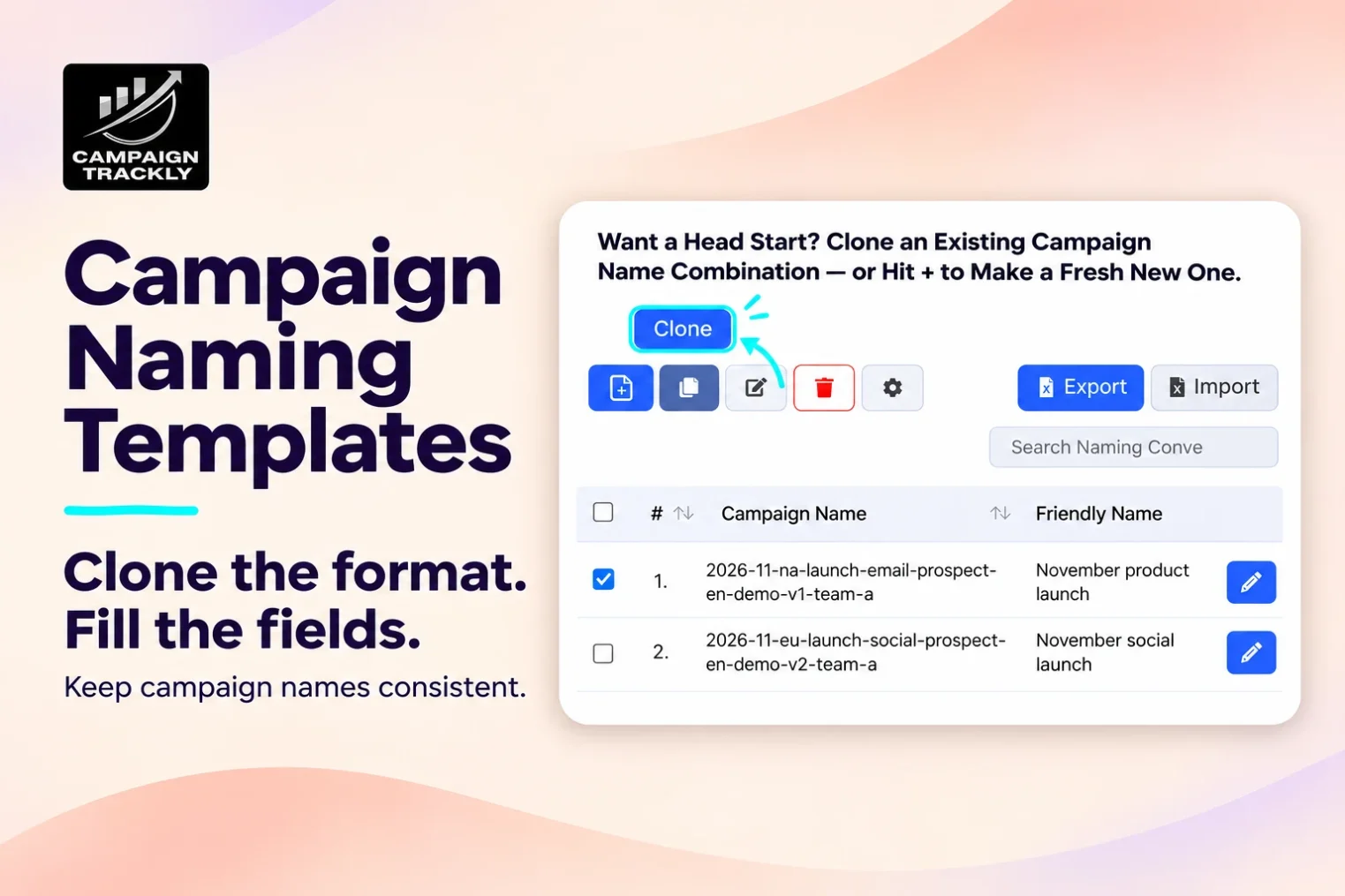
Turn your team’s campaign name taxonomy into reusable templates—clone a saved convention, fill in each required field, and preview the assembled name before adding it to your campaign URLs.
Naming conventions for campaign URLs define the exact order and format of the elements inside your campaign name. Cloning a saved template lets your team reuse that structure so no required field is ever missed or out of order.
One-click reuse
Clone pre-built formats for product launches, webinars, and regional promos.
Zero guesswork
Guided dropdowns and fixed field orders keep every marketer aligned.
Built-in QA
Preview your exact campaign string before pushing it to ad platforms or tracking links.
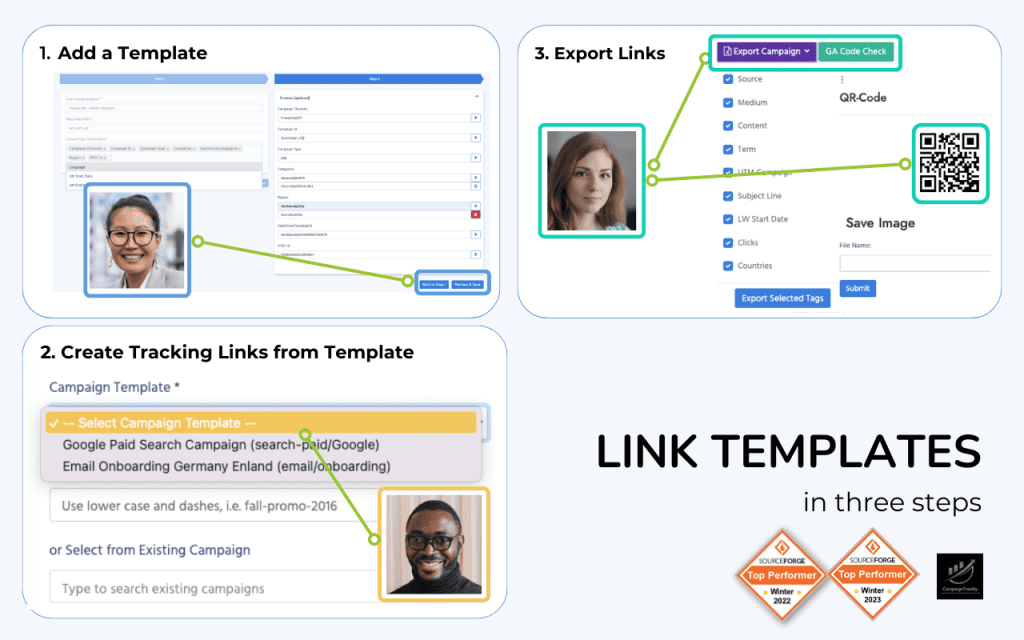
How to clone naming conventions for campaign URLs
Start with a saved campaign name that already uses the required field order. This is a practical way to carry the structure into the next campaign.
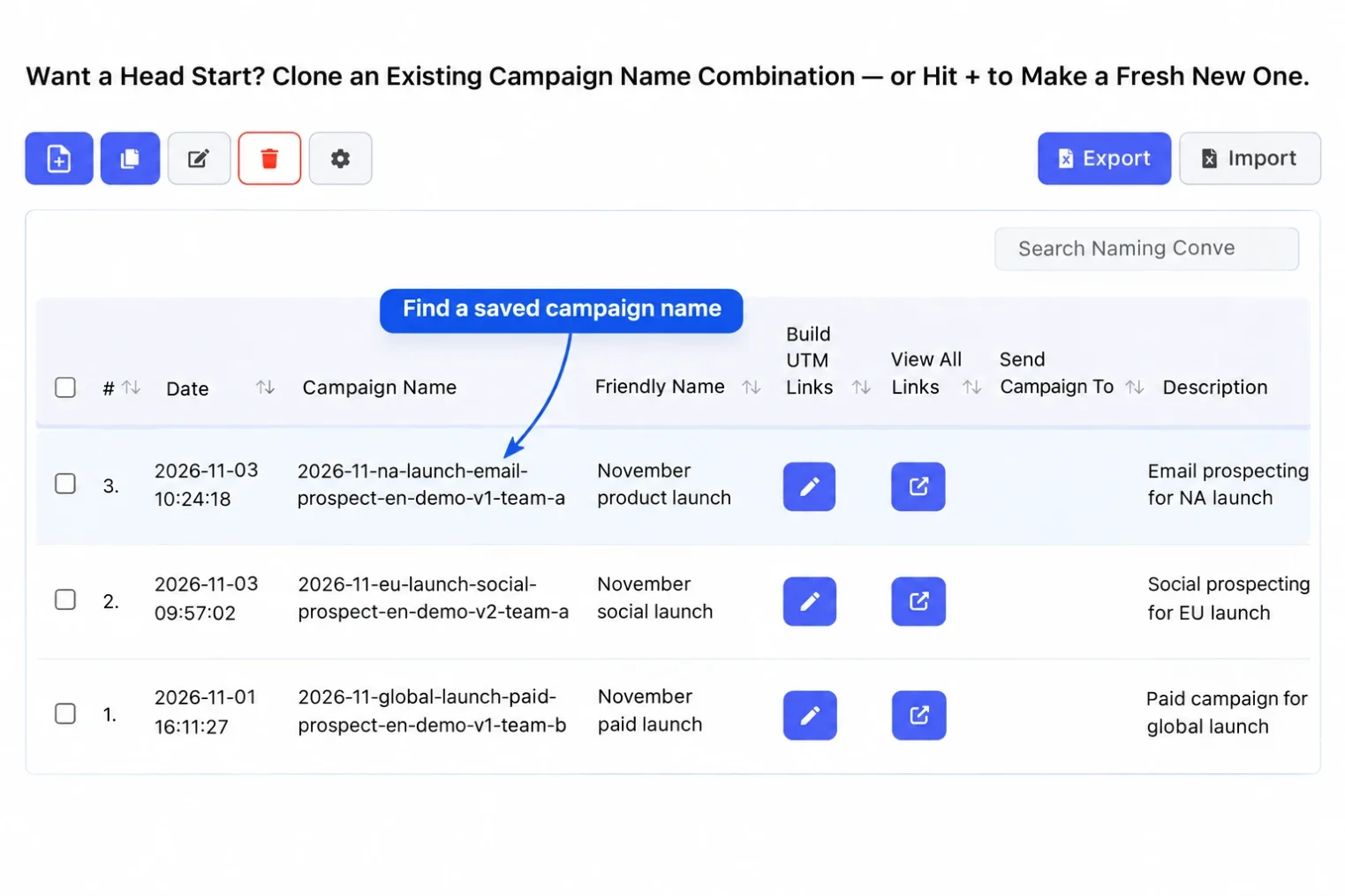
1. Find a saved example
Open Campaign Naming Conventions and locate an entry with the format you want to reuse.
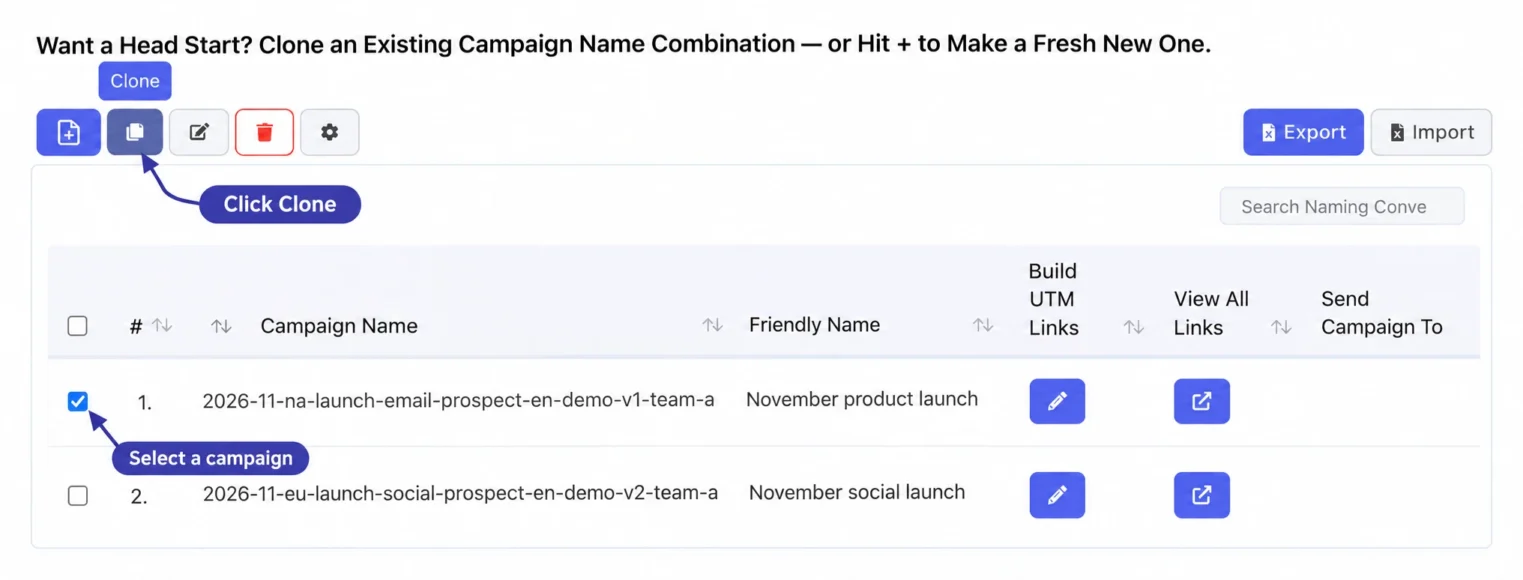
2. Select and clone
Select the saved row, then click the Clone button to open a new form using its field order.
3. Enter this campaign’s values
Add a friendly name and complete the custom tag fields for the new campaign. Check dates, IDs, and any free-text values.
4. Preview the name
Read the assembled name in order. Confirm the separators and make sure every value belongs to this campaign.
5. Save and build links
Save the reviewed campaign, then use it when building tracking links so the campaign value stays consistent.
Fill the fields, then preview the assembled name
The form presents the fields for the convention. Follow the approved values available in your workspace and enter the campaign-specific information. A friendly name helps colleagues find the entry later; the generated name carries the structured values used for tracking.
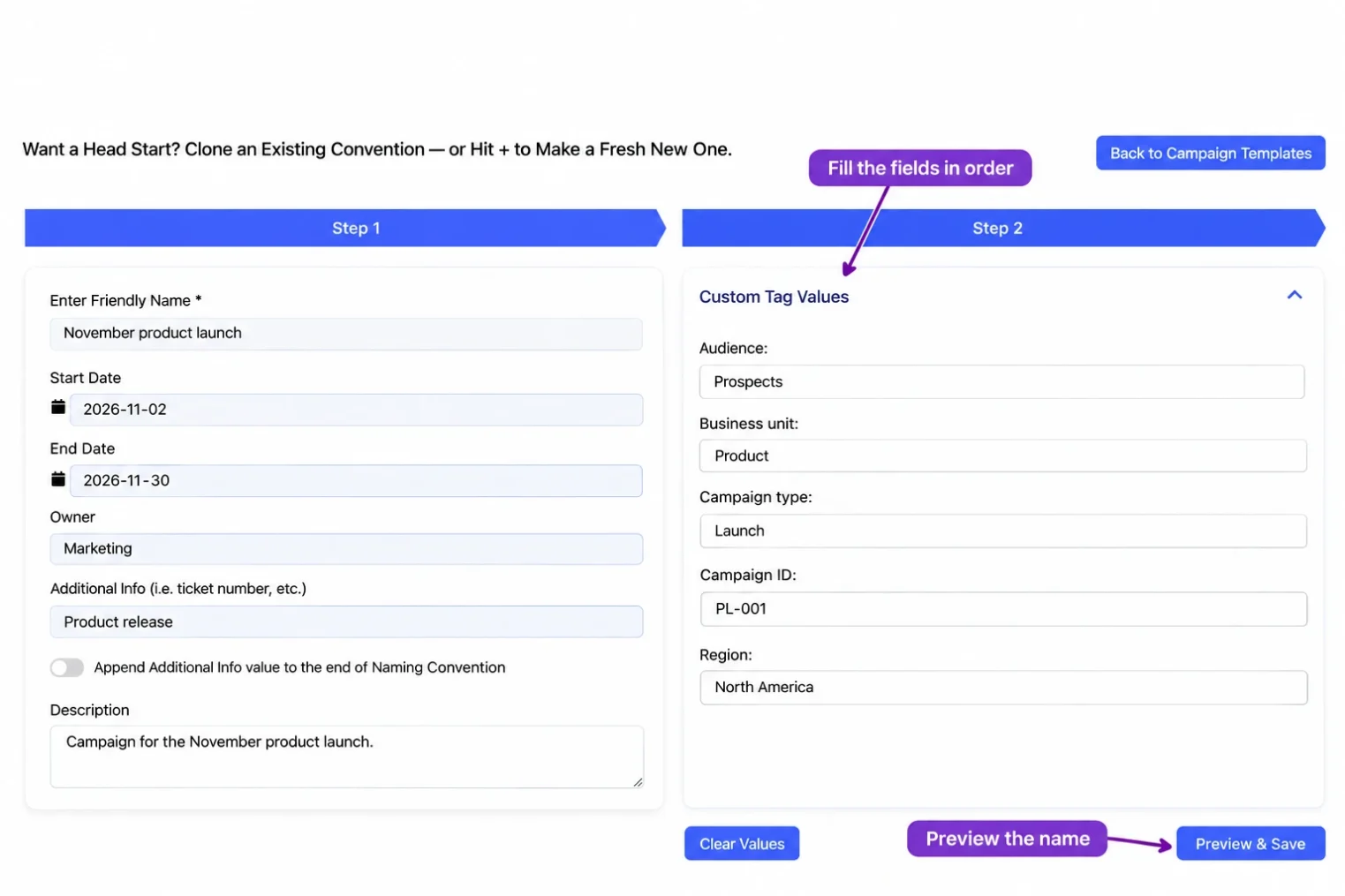
An 11-field campaign naming convention example
Suppose a team uses the field order below for a product launch. The example is illustrative; your organization should choose the fields and approved values that its reporting needs.
Field order
Year → Month → Region → Business unit → Campaign type → Audience → Language → Offer → Variant → Owner → Version
Example campaign name
2026-11-na-growth-launch-prospects-en-demo-a-marketing-v1
| Field | Example value | What to review |
|---|---|---|
| Year and month | 2026 · 11 | The reporting period for this campaign. |
| Region and business unit | na · growth | The market and team responsible for the campaign. |
| Campaign type and audience | launch · prospects | The activity and intended audience. |
| Language and offer | en · demo | The language and offer being promoted. |
| Variant, owner, and version | a · marketing · v1 | The creative variation, responsible team, and version. |
The benefit is a repeatable sequence. People can find the region or audience in a predictable position, while a new campaign can use fresh values without reinventing the structure.
Choose naming conventions for campaign URLs by campaign type
Different campaigns do not always need identical names. A webinar format may emphasize the event and region. A launch format may need product, audience, and version. Keep saved examples with recognizable friendly names so users can choose the relevant field order.
Keep the format and the tag library working together
The naming convention defines how parts are arranged. The tag library defines the approved values available for governed fields. Agree on separator rules, casing, optional fields, and how free text should be entered. Review the generated result when you clone a convention.
For help deciding which fields belong in your naming policy, read the marketing campaign naming conventions guide. For the distinction between the structure and its approved vocabulary, see marketing taxonomy and naming conventions.
Keep one campaign value across the links that belong together
After saving the convention for the new campaign, use that campaign when building its UTM links. Channel-specific source, medium, and content values can differ while the links share the intended utm_campaign value. Preview the finished URL before handing it to the publishing team.
YOUR NAMING RULES, A REUSABLE STARTING POINT
Try campaign naming convention templates with your own format
Bring the field order your team already uses. We’ll show how to save an example, clone the convention, preview the next campaign name, and use the saved campaign in tracking links.
Choosing a platform? Use the free UTM marketing software comparison checklist to assess naming flexibility, libraries, permissions, builders, and connected workflows.
Campaign naming convention templates FAQs
What are naming conventions for campaign URLs?
Naming conventions for campaign URLs define a repeatable structure for the campaign values used in tracking links. Campaign naming convention templates can combine year, month, region, business unit, campaign type, audience, and version so users can reuse the agreed field order.
How do I clone a saved campaign naming convention in CampaignTrackly?
Open Campaign Naming Conventions, select a saved entry that uses the format you need, and click Clone. Fill in the values for the new campaign, preview the generated name, and review it before saving.
Does cloning mean every old field value should be reused?
No. Use the saved convention as the starting format, then enter and review the values for the new campaign. Check dates, audience, region, identifiers, and other campaign-specific fields before saving.
Can I keep more than one campaign naming convention?
Yes. You can save multiple conventions for different campaign types or teams. Give each a recognizable friendly name and choose a saved example with the field order that fits the new campaign.
Can I use the saved campaign name in UTM links?
Yes. Use the saved campaign when building tracking links in CampaignTrackly so links belonging to the same campaign can share a consistent utm_campaign value. Review the preview URL before distributing the links.
How is a campaign naming template different from a multi-channel tagging template?
A campaign naming template helps structure the campaign name. A multi-channel tagging template preselects multiple Source/Medium combinations so a user can prepare links for several channels together and fill in remaining values such as content.