💰 Why our Paid Media Macro Guide helps build effective tracking links, eliminate broken data and drive actionable reporting
Our interactive Paid Media UTM Macro Guide eliminates manual tagging by providing in one place a universal library of dynamic tracking templates that automate your reporting across 15+ ad platforms.
It provides a comprehensive set of pre-saved tracking macros – dynamic UTM tracking tags for LinkedIn, Meta, TikTok, Instagram and 12+ other platforms, alongside a free interactive builder to automate your URL tagging and eliminate manual errors in seconds.
The Paid Media Macro Guide Comes with a Tracking link Creator:
- Works with Google Ads, Meta, LinkedIn, programmatic & more
- Uses real dynamic macros (campaign, ad set, keyword, placement)
- Enforces naming conventions & prevents tracking errors
- Built for speed and accuracy — no spreadsheets
The End of Manual Tagging: Your Universal UTM Macro Library
Let’s be honest: manually typing UTM parameters is a recipe for broken data and wasted afternoons. If you want to scale your paid media, you don’t need more spreadsheets—you need Dynamic Macros.
What Are Paid Media Macros?
Paid media macros are dynamic placeholders used by advertising platforms like Google, Meta, and LinkedIn to automatically insert real campaign data into your tracking links.
Instead of manually typing values like campaign name, ad ID, or keyword, macros such as campaignid or ad.id are replaced in real time with actual campaign information when the ad is served.
The result: consistent, accurate, and scalable tracking — with zero manual effort and no risk of human error.
Below is the 2026 Master List of dynamic tracking strings across 15+ ad platforms.
Pro Tip: Copy these exactly. One wrong curly bracket can be the difference between clean insights and a “Tracking Unknown” error.
1. Google Ads Ecosystem (Search, YouTube, Display)
| Platform | utm_id | utm_term | utm_content (Ad) | Custom: p_ag= (Ad Group) | Extra Tags |
|---|---|---|---|---|---|
| Google Search | {campaignid} |
{keyword}-{matchtype} |
{creative} |
p_ag={adgroupname}-{adgroupid} |
p_net={network};p_dev={device} |
| YouTube Ads | {campaignid} |
|
{creative} |
p_ag={adgroupname}-{adgroupid} |
p_pl={placement};p_net={network};p_dev={device} |
| Google Display | {campaignid} |
|
{creative} |
p_ag={adgroupname}-{adgroupid} |
p_pl={placement}; p_net={network} |
2. Paid Social (Meta, LinkedIn, TikTok, X, Pinterest, Snap, Reddit)
| Platform | utm_id | utm_content (Ad) | Custom: p_as= (Ad Set) | Extra Tags |
|---|---|---|---|---|
| Meta (FB/IG) | {{campaign.id}} |
{{ad.name}}-{{ad.id}} |
p_as={{adset.name}}-{{adset.id}} |
p_pl={{placement}}; p_src={{site_source_name}} |
{{CAMPAIGN_ID}} |
{{AD_NAME}}-{{AD_ID}} |
p_as={{AD_SET_NAME}}-{{AD_SET_ID}} |
p_acc={{ACCOUNT_ID}} |
|
| TikTok | __CAMPAIGN_ID__ |
__CID_NAME__-__CID__ |
p_as=__AID_NAME__-__AID__ |
p_pl=__PLACEMENT__ |
| X (Twitter) | {{campaign_id}} |
p_ad={{tweet_id}} |
p_as={{promoted_content_id}} |
p_cnv={{click_id}}; p_pl={{site_id}}-{{sitename}} |
| Snapchat | {{campaign.id}} |
{{creative.name}}-{{ad.id}}-{{creative.headline}} |
p_as={{adSet.name}}-{{adSet.id}} |
p_src={{site_source_name}} |
{campaignid} |
{adgroupid} |
p_as={adgroupname}={adgroupid} |
p_pl={placement}; p_env={pinid} |
|
{{CAMPAIGN_ID}} |
{{AD_NAME}}-{{AD_ID}} |
p_as={{ADGROUP_NAME}}-{{ADGROUP_ID}} |
p_pl={{PLATFORM_GROUP}} |
3. Search & Programmatic (Bing, Apple, DV360, TTD, Quora, Criteo, Amazon)
| Platform | utm_id | utm_content (Ad) | Custom: p_ag= or p_as= | Extra Tags |
|---|---|---|---|---|
| Microsoft (Bing) | {CampaignId} |
{AdId} |
p_ag={AdGroup}-{AdGroupId} |
p_pl={Keyword}; p_dev={Device} |
| Apple Search | {campaignid} |
{creative} |
p_ag={adgroupname}-{adgroupid} |
p_pl={keyword} |
| DV360 | ${CAMPAIGN_ID} |
${CREATIVE_ID} |
p_as=${LINE_ITEM_ID} |
p_pl=${SITE_ID} |
| The Trade Desk | ${campaignid} |
${creativeid} |
p_as=${adgroupid} |
p_pl=${site} |
| Quora | {campaign_id} |
{ad_name}-{ad_id} |
p_as={adset_name}-{adset_id} |
p_pl={question_id} |
| Criteo | {{criteo_campaign_id}} |
adset-{{adsetid}}-{{width}}x{{height}} |
- |
p_pl={{display_env}} |
| Amazon Ads | {%campaign_cfid} |
{%creative_cfid} |
- |
p_as={%ad_cfid} |
🚀 KEY Handover Notes & Accuracy Checklist
1. Case Sensitivity Matters: Platform reporting WILL BREAK if casing is wrong. Examples:Bing requires title capitalization2. Field Limitations: Not all platforms support all fields. Use fallback logic rather than forcing empty fields.{CampaignId}
Google requires{campaignid}. Do not convert to lowercase in the library.
Meta has no3. Creative vs Ad ID: These are equivalent but named differently by engine.keywordmacro
Reddit is missingcampaign_name.
Google uses4. Placement vs Network: Keep these separate.{creative}
Meta uses{ad.id}
Placement refers to the specific site/publisher (e.g., a specific YouTube channel);5. Hyphenation: All "Name-ID" pairings must be joined by a hyphen for clean data parsing in the backend.
Network refers to the broader category (e.g., Search vs Display).
🎁 FREE Interactive Macro Builder: Get Your Paid Media Tracking Link
Generate clean, consistent, fully-parameterized tracking links using real ad platform macros — automatically structured, validated, and ready for GA4 or Adobe. Just add your URL and watch as your tracking links get built in seconds.
How to use this tool
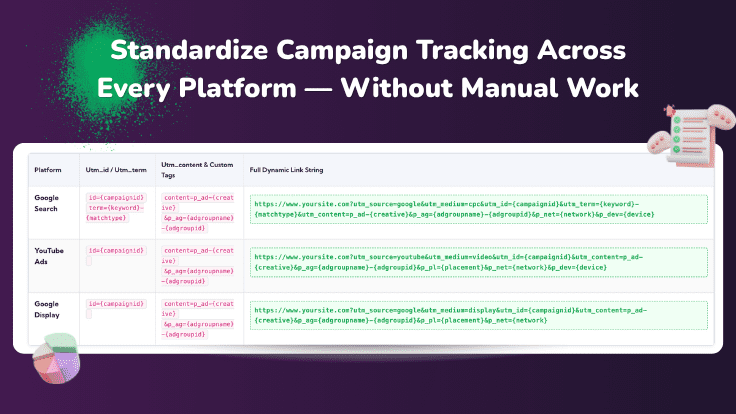
No signup required. Just your URL.1. Google Ads Ecosystem Macro-based Tracking Links
| Platform | utm_id / utm_term | utm_content & Custom Tags | Full Dynamic Link String |
|---|---|---|---|
| Google Search | id={campaignid}term={keyword}-{matchtype} |
content=p_ad-{creative}&p_ag={adgroupname}-{adgroupid} |
|
| YouTube Ads | id={campaignid} |
content=p_ad-{creative}&p_ag={adgroupname}-{adgroupid} |
|
| Google Display | id={campaignid} |
content=p_ad-{creative}&p_ag={adgroupname}-{adgroupid} |
|
2. Paid Social Macro-based Tracking Links
| Platform | utm_id / utm_content | Custom: &as= (Ad Set) | Full Dynamic Link String |
|---|---|---|---|
| Meta (FB/IG) | id={{campaign.id}}content=p_ad-{{ad.name}}-{{ad.id}} |
&p_as={{adset.name}}-{{adset.id}} |
|
id={{CAMPAIGN_ID}}content=p_ad-{{AD_NAME}}-{{AD_ID}} |
&p_as={{AD_SET_NAME}}-{{AD_SET_ID}} |
|
|
| TikTok | id=__CAMPAIGN_ID__content=p_ad-__CID_NAME__-__CID__ |
&p_as=__AID_NAME__-__AID__ |
|
3. Programmatic & Niche Macro-based Tracking Links
| Platform | utm_id / utm_content | Custom Logic | Full Dynamic Link String |
|---|---|---|---|
| Microsoft (Bing) | id={CampaignId}content=p_ad-{AdId} |
&p_ag={AdGroup}-{AdGroupId} |
|
| The Trade Desk | id=${campaignid}content=p_ad-${creativeid} |
&p_as=${adgroupid} |
|
| Criteo | id={{criteo_campaign_id}}content=p_ad-adset-{{adsetid}}-{{width}}x{{height}} |
&p_pl={{display_env}} |
|
How CampaignTrackly Automatically Fixes URL String Fragments
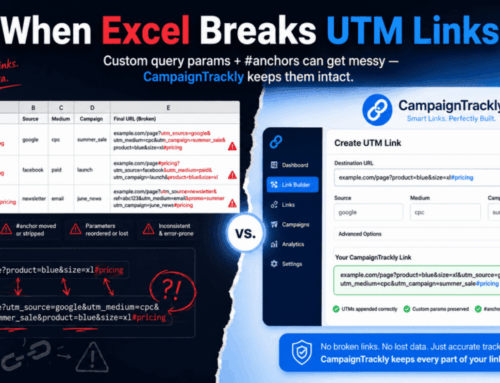
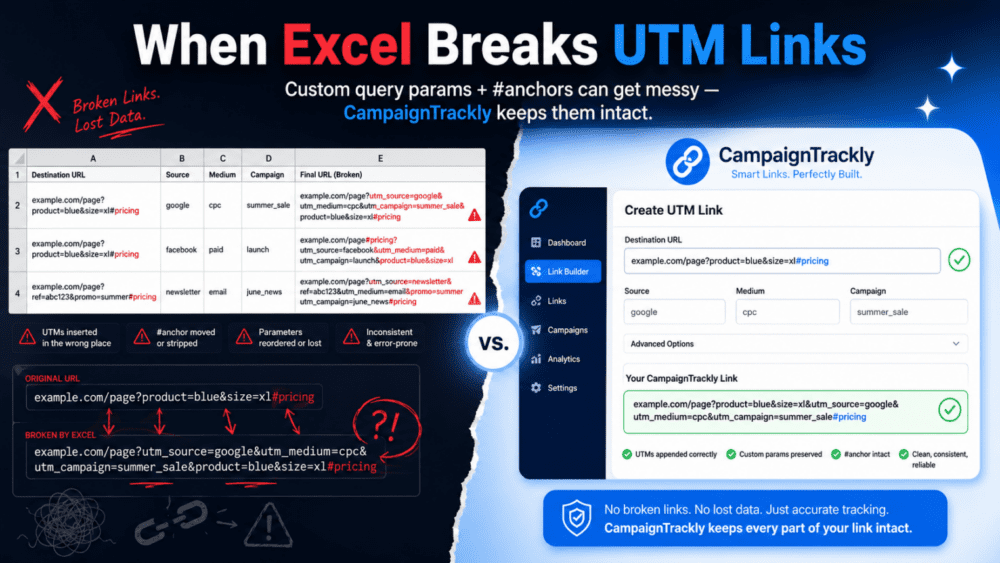
Instead of relying on rigid, error-prone spreadsheet formulas, CampaignTrackly’s intelligent parsing engine automatically detects page hashtags, dynamically isolates them, sequences your UTM parameters using the correct syntax separators, and safely re-attaches the anchor to ensure flawless user navigation and 100% accurate analytics.
Frequently Asked Questions
What are paid media macros?
Paid media macros are dynamic placeholders used by advertising platforms like Google Ads, Meta, and LinkedIn to automatically insert campaign data into tracking links. Instead of manually entering values, macros such as or are replaced in real time when an ad is served.
Why should I use macros instead of manual UTM tagging?
Manual UTM tagging is prone to human error, inconsistent naming, and broken reporting. Macros ensure every link is populated dynamically and consistently, improving data accuracy, saving time, and enabling scalable campaign tracking across multiple platforms.
Which platforms support paid media macros?
Most major advertising platforms support macros, including Google Ads, Meta (Facebook & Instagram), LinkedIn, TikTok, Reddit, Microsoft Ads (Bing), The Trade Desk, and Criteo. Each platform uses its own macro format and supported fields.
Is this macro tracking link builder really free?
Yes. The interactive macro tracking link builder on this page is completely free to use with no signup required. You can generate fully-parameterized tracking links instantly and copy them directly into your campaigns.
What types of parameters can macros populate?
Macros can automatically populate parameters such as campaign ID, campaign name, ad ID, ad set, keyword, placement, device, and more — depending on the platform. These values help ensure detailed and accurate reporting in tools like GA4 and Adobe Analytics.
Will macros work with Google Analytics 4 (GA4)?
Yes. Macros work seamlessly with GA4 when used within UTM parameters. They dynamically populate values like utm_campaign, utm_source, and utm_term, ensuring consistent and reliable campaign attribution.
What happens if a platform does not support a specific macro?
If a macro is not supported by a platform, it will either be ignored or return an empty value. That's why it's important to use fallback logic or standardized templates to ensure your tracking links remain valid and complete.
Do I need technical knowledge to use macros?
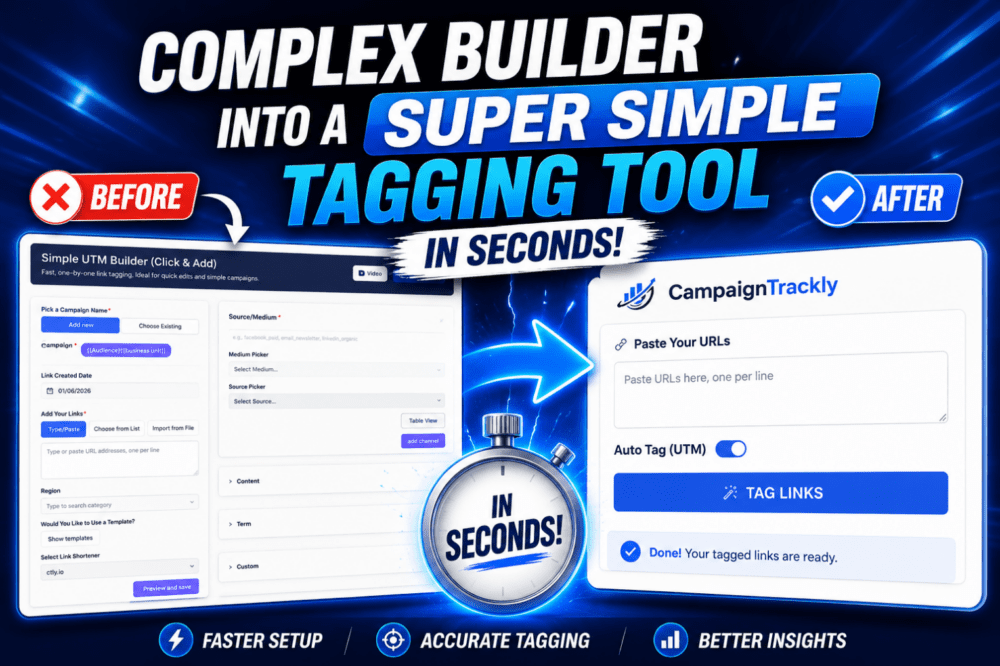
No. While macros may look technical, tools like CampaignTrackly handle the complexity for you. You simply select your platform and parameters, and the builder generates the correct tracking link automatically.