Video Analytics Tracking Links: How to Measure Video Campaign ROI with UTM Tags
Video analytics tracking links are the URLs we add to video cards or descriptions to drive audiences to our key landing and conversion webpages.
Why you need UTM parameters for Your Video Campaigns
Video platforms can tell you how many people watched your video, how long they stayed, and whether your content kept viewers engaged. But views alone do not tell you whether your video campaign drove traffic, leads, sign-ups, purchases, or revenue.
To understand the real business impact of your asset, marketers need to track what happens after someone clicks a video call to action. That is where video analytics tracking links and UTM tags become essential.
In this guide, we’ll show you how to use UTM-tagged video links to measure video campaign performance across GA4, analytics dashboards, landing pages, and campaign reports.
Quick Answer: How Do You Track Video Campaign Performance?
To track video campaign performance, add UTM parameters to the links used in your video descriptions, buttons, overlays, end screens, QR codes, and landing-page CTAs. Then review the campaign, source, medium, content, and conversion data in GA4 or your analytics platform.
Why Video Analytics Alone Is Not Enough
YouTube, Vimeo, LinkedIn, TikTok, Instagram, and other video platforms provide useful video engagement metrics. These may include views, watch time, impressions, audience retention, comments, shares, and play rate.
Those metrics help you understand whether your video content captured attention. But they do not always answer the bigger marketing question:
Did the video drive meaningful action?
A video may have a strong view count but weak traffic. Another video may have fewer views but generate better leads, sign-ups, purchases, demo requests, or form fills. Without video link tracking, you may not know which asset actually contributed to pipeline, revenue, or campaign ROI.
What Video Analytics Tracking Links Help You Measure
Video tracking links help connect video engagement to downstream marketing performance. When someone clicks a link from a video campaign, the tracking parameters attached to that link can help your analytics platform identify where the visit came from and which campaign generated it.
With properly tagged video links, you can measure:
- Which video campaign drove website visits
- Which video platform generated the best traffic
- Which video CTA drove the most clicks
- Which video asset generated sign-ups, downloads, demo requests, or purchases
- Which audience, placement, or creative version performed best
- Which video campaigns contributed to key events or revenue in GA4
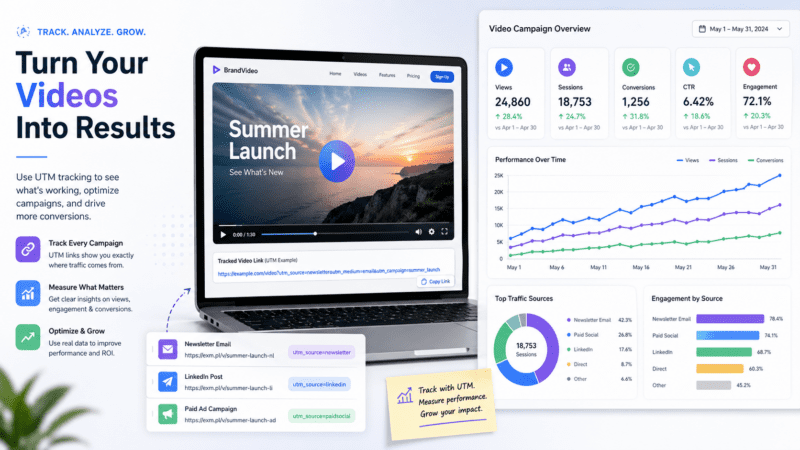
Where to Use UTM Tracking for Video Campaigns
UTM tracking for video is not limited to one platform or one type of link. You can use tracked links anywhere your video campaign sends viewers to a landing page, product page, form, registration page, app page, or downloadable asset.
Common places to use video tracking links include:
- YouTube video descriptions
- YouTube end screens and pinned comments
- Vimeo video descriptions
- LinkedIn video posts and ads
- TikTok profile and campaign links
- Instagram bio links, story links, and campaign landing pages
- Webinar replay pages
- Embedded product demo videos
- Video landing-page buttons
- QR codes used in video campaigns
- Email campaigns that promote video content
Video CTA Tracking: The Missing Link Between Views and ROI
Video marketers often focus on watch time, completion rate, and engagement. Those metrics are useful, but they do not always show whether the viewer took the next step.
A viewer does not always need to watch the full video to convert. Some viewers may click after 10 seconds. Others may click after 60 seconds. Some may ignore the CTA entirely.
That is why video CTA tracking matters. By using separate tracking links for each call to action, you can compare which CTA placement, message, or platform generated the strongest response.
| Video CTA Location | What You Can Measure |
|---|---|
| Description link | Traffic and conversions from viewers who clicked below the video. |
| End-screen link | Actions from viewers who stayed until the end of the video. |
| Pinned comment | Traffic from viewers who interacted with the comment section. |
| Landing-page video CTA | Clicks and conversions from embedded website videos. |
| QR code in video | Offline, event, presentation, or screen-based engagement. |
How to Build Video Analytics Tracking Links
To build video tracking links, start with the landing page URL you want viewers to visit. Then add campaign tracking values that describe the video campaign, platform, placement, creative, and CTA.
A simple video tracking structure may include:
- Source: the platform, such as youtube, vimeo, linkedin, tiktok, or instagram
- Medium: the channel type, such as video, social, paid_social, or referral
- Campaign: the campaign or initiative name
- Content: the video version, CTA location, creative, or message
- Term: optional audience, targeting, keyword, or segment detail
The goal is not to add more tags for the sake of adding tags. The goal is to make your video performance data easier to compare across platforms, campaigns, and assets.
Example Video Tracking Setup
Here is a simple example of how a marketing team might structure video campaign tracking:
| Tracking Field | Example Value | Purpose |
|---|---|---|
| Source | youtube |
Identifies the video platform. |
| Medium | video |
Identifies the campaign channel type. |
| Campaign | product_demo_q2 |
Identifies the campaign or initiative. |
| Content | end_screen_cta |
Identifies the CTA placement or creative variation. |
Video Tracking Mistakes That Create Messy Reports
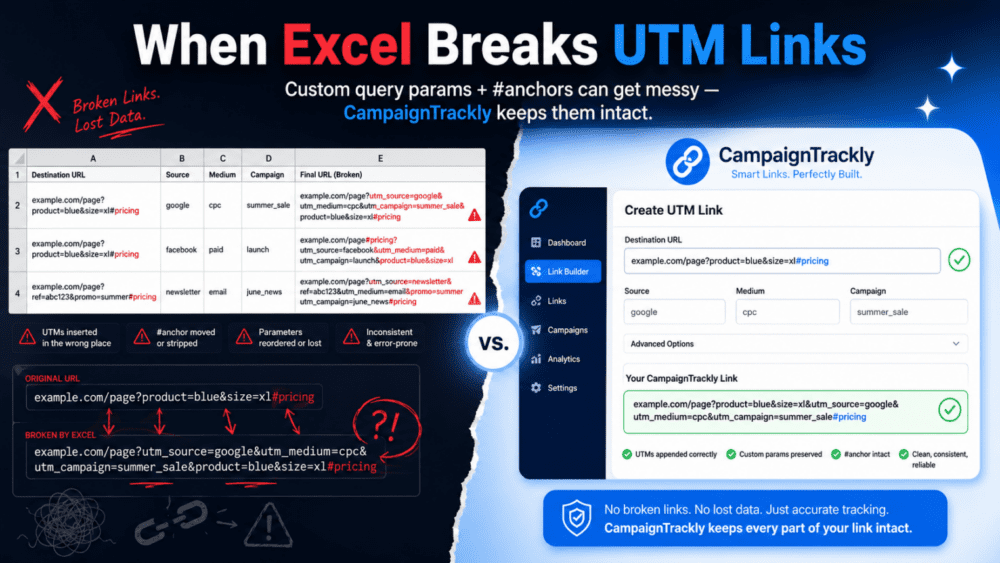
Video tracking can quickly become messy when teams build links manually or use inconsistent naming rules across platforms.
Common video tracking mistakes include:
- Using different names for the same video campaign
- Mixing capitalization, spaces, hyphens, and underscores
- Forgetting to tag links in video descriptions
- Using the same tracking link for every CTA location
- Tagging YouTube, LinkedIn, and paid video campaigns differently
- Sending viewers through redirects that strip tracking values
- Tracking views but not downstream clicks, key events, or conversions
When these issues happen, your analytics reports may split one campaign into multiple rows, hide performance under unclear source / medium values, or make video ROI harder to prove.
How CampaignTrackly Helps Automate Video Analytics Link Tracking
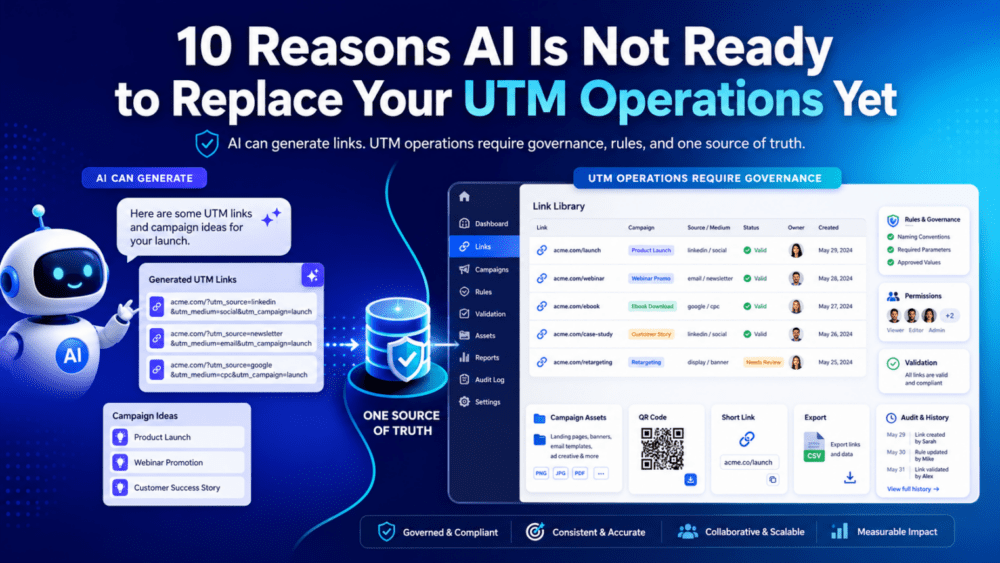
CampaignTrackly helps marketers build cleaner video tracking links without relying on manual spreadsheets or copy-paste workflows.
With CampaignTrackly, teams can use templates, approved values, naming rules, browser extensions, short links, QR codes, and automated workflows to create consistent tracking links for video campaigns.
This helps make video tracking part of the campaign production process instead of an afterthought.
4 Reasons to Use CampaignTrackly for Video Tracking Links
1. Standardize Video Campaign Tracking
Use approved templates and naming rules so every video campaign follows the same tracking structure across platforms, teams, and channels.
2. Save Time with Automated Link Creation
Instead of building video tracking links manually in spreadsheets, teams can generate governed links faster using templates and automation.
3. Compare Video Performance Across Channels
Clean tracking makes it easier to compare performance across YouTube, Vimeo, LinkedIn, TikTok, Instagram, paid media, email, landing pages, and QR codes.
4. Improve Reporting Quality in GA4 and Analytics Dashboards
Consistent tracking values help analytics platforms group campaign data correctly, making reporting cleaner and easier to trust.
Build Cleaner Video Tracking Links Before Your Campaign Launches
Video ROI depends on more than views. CampaignTrackly helps you create consistent tracking links for video CTAs, landing pages, short links, QR codes, and campaign reports.
Watch: How to Add Tracking Links to Video Campaigns
Watch this brief video to see how adding UTM tracking links can become part of your video production workflow and save your team time.
Conclusion: Video ROI Starts with Better Tracking Links
Video analytics can show whether people watched your content. But video tracking links help show whether your video campaign drove traffic, engagement, key events, conversions, and revenue.
By adding consistent UTM tracking to video CTAs, teams can connect video campaigns to broader marketing performance reports and make smarter decisions about content, channels, and budget.
For marketers who need cleaner campaign data, CampaignTrackly makes video tracking easier to standardize, automate, and scale.
Frequently Asked Questions About Video Analytics Tracking Links
What are video analytics tracking links?
Video tracking links are campaign links with tracking parameters added to them. They help marketers measure clicks, traffic, engagement, and conversions from video campaigns.
How do I track video campaign performance in GA4?
Add UTM parameters to the links used in your video CTAs, descriptions, comments, QR codes, or landing pages. Then review campaign, source, medium, content, engagement, and key event data in GA4.
Why are video platform analytics not enough?
Video platform analytics usually show engagement metrics such as views, watch time, and retention. They may not show whether the video drove website visits, leads, purchases, or revenue in your analytics platform.
What UTM medium should I use in my video analytics links for Youtube, Vimeo and others?
Many teams use video as the medium for organic video campaigns. Paid video campaigns may use values such as paid_social, cpc, or another medium that matches the team’s reporting standards.
Can I track different CTAs in the same video?
Yes. You can use different tracking values for description links, pinned comments, end-screen CTAs, landing-page buttons, and QR codes so you can compare which CTA placement performed best.
How does CampaignTrackly help with video tracking?
CampaignTrackly helps teams create governed video tracking links using templates, approved values, naming rules, short links, QR codes, browser extensions, and automated workflows.