
A QR code is a scannable image that stores information, usually a website link.
QR stands for Quick Response.
When someone scans a QR code with a phone camera, the phone reads the code and opens the destination, such as:
- a landing page
- a product page
- a form
- a coupon
- an app download page
- a campaign URL with UTM tracking
For example, a QR code can send users to:
https://example.com/summer-saleOr to a tracked campaign link:
https://example.com/summer-sale?utm_source=qr&utm_medium=offline&utm_campaign=summer_sale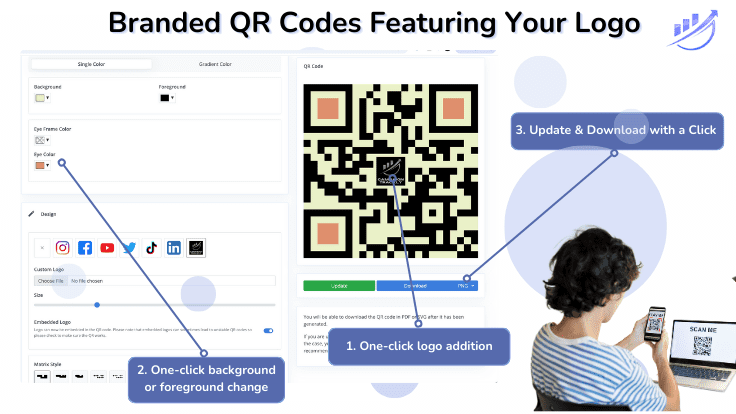
How QR Codes Work
A QR code contains encoded data. Most marketing QR codes contain a URL.
When a person scans the code:
- Their phone reads the QR code.
- The phone detects the URL.
- The person taps to open the link.
- The website or analytics tool records the visit.
Why Marketers Use QR Codes
QR codes make it easy to connect offline marketing to online activity.
They are often used on:
- flyers
- brochures
- event signs
- direct mail
- packaging
- print ads
- business cards
- in-store displays
Why QR Codes Should Be Tracked
Without tracking, you may know that people visited your website, but not where those visits came from.
With UTM tracking, you can see whether traffic came from a QR code, a printed flyer, an event booth, or another offline campaign.
A simple tracked QR URL might look like this:
https://example.com/demo?utm_source=qr&utm_medium=offline&utm_campaign=event_boothQR Code Best Practice
Before creating a QR code, make sure the destination URL is correct, tested, and trackable.
For marketing campaigns, it is best to use a governed tracking URL so your reporting stays clean across QR codes, short links, ads, emails, and other campaign assets.
Today, almost every phone and iPad can read QR codes. But to create them, you need a dedicated app, known as QR code generator.







