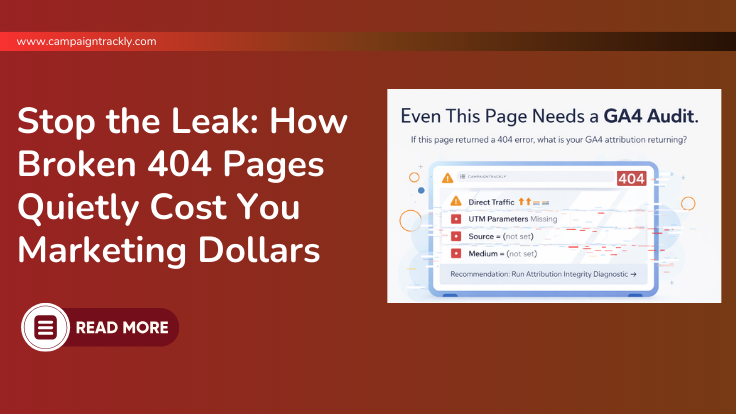
How Broken 404 Pages Quietly Cost You Marketing Dollars
Most teams treat 404 errors as minor technical issues.
They aren’t.
Broken 404 pages quietly waste paid media budgets, distort GA4 attribution, inflate bounce rates, and reduce conversion performance — all without obvious warning signs.
If you run paid campaigns, broken landing pages are not just a UX problem.
They are a financial one.
What Is a Broken 404 Page?
A 404 page appears when a URL cannot be found.
Common causes include:
-
Deleted campaign landing pages
-
URL structure changes
-
Incorrect links in paid ads
-
Email links with typos
-
Redirects that were never properly configured
While this seems harmless, the analytics consequences are not.
How 404 Pages Waste Marketing Dollars
When a paid campaign drives traffic to a broken page:
-
The click is paid for.
-
The session is recorded in GA4.
-
The user hits an error.
-
Engagement collapses.
-
Conversion probability drops to near zero.
You paid for that click.
But the destination failed.
That is direct budget leakage.
The Hidden Attribution Cost in GA4
The damage doesn’t stop at lost conversions.
Broken 404 pages can:
Inflate Bounce Rates
Traffic landing on an error page often exits immediately, increasing bounce metrics for the campaign.
Reduce Conversion Rates
Campaign performance appears weaker than it actually is.
Distort Source/Medium Data
If redirects strip UTM parameters or users navigate elsewhere:
-
Traffic may default to (direct)
-
Campaign data may appear as (not set)
-
Paid performance becomes harder to measure
This creates attribution distortion.
And attribution distortion leads to poor budget decisions.
Why This Matters for Paid Media Optimization
Many organizations rely on:
-
Automated bidding systems
-
AI-driven budget allocation
-
Performance dashboards
-
Predictive analytics
These systems optimize based on observed behavior.
If sessions include broken landing pages and corrupted engagement signals, optimization models adjust based on faulty data.
Over time, this compounds.
Broken 404 pages don’t just cost you one click.
They degrade decision quality.
How Often Should You Check for Broken 404 Pages?
If you run paid campaigns, you should:
-
Review 404 traffic at least monthly
-
Audit landing page status before campaign launch
- Ensure you are using an automated URL campaign builder that can reliably enforce governance
-
Recheck after URL updates or site migrations
-
Monitor GA4 reports for error page traffic tied to paid sources
Broken 404 pages should be part of campaign QA — not an afterthought.
How to Detect 404-Driven Revenue Loss in GA4
In GA4:
-
Create a report filtering:
-
Page title contains “404”
-
Page path includes “not-found”
-
-
Break down by:
-
Source / Medium (utm_source and utm_medium)
-
Session campaign
-
If paid traffic appears, you have budget leakage.
You can also:
-
Use Google Search Console for crawl errors
-
Review server logs for high-volume 404 URLs
-
Run site crawls to detect broken internal links
Broken 404 Pages Are a Governance Signal
Persistent 404 errors often indicate:
-
Weak campaign QA processes
-
No URL validation before launch
-
Poor redirect management
-
Lack of UTM campaign tracking governance
They are not isolated technical glitches.
They are operational discipline issues.
Final Thoughts
Broken 404 pages quietly cost marketing dollars by:
-
Wasting paid clicks
-
Lowering conversion rates
-
Distorting GA4 attribution
-
Inflating direct traffic
-
Corrupting optimization signals
If your reporting feels inconsistent or your paid performance seems unstable, it may not be targeting or creative.
It may be broken infrastructure. And infrastructure issues compound over time.
Get bullet-proof GA4 Campaign Tracking
Align GA4 with Your CampaignsSee the 6 Easy Steps to Gain Control of Your Data
Read the 6 easy steps here.10 UTM Tracking Issues that Break Attribution
Fix Underlying IssuesFind Out What is Impacting Your Data
Check if you have the same 10 issues.Q&A
What is a 404 error?
It is a message from your website server that the page does not exist.
What means ” the page doe not exist”?
It means that the URL link or web address has no content associated with it. Maybe the link was mis-spelled and that is why you cannot find your content.
How often should you check for 404 errors?
At minimum monthly, but weekly for sites running paid campaigns or undergoing frequent content changes.
Can 404 errors affect GA4 reporting?
Yes. Broken landing pages can distort engagement metrics, inflate bounce rates, and contribute to traffic misclassification.
Do 404 pages impact paid campaign performance?
Yes. Paid traffic landing on broken pages reduces conversion rates and can distort ROI reporting.