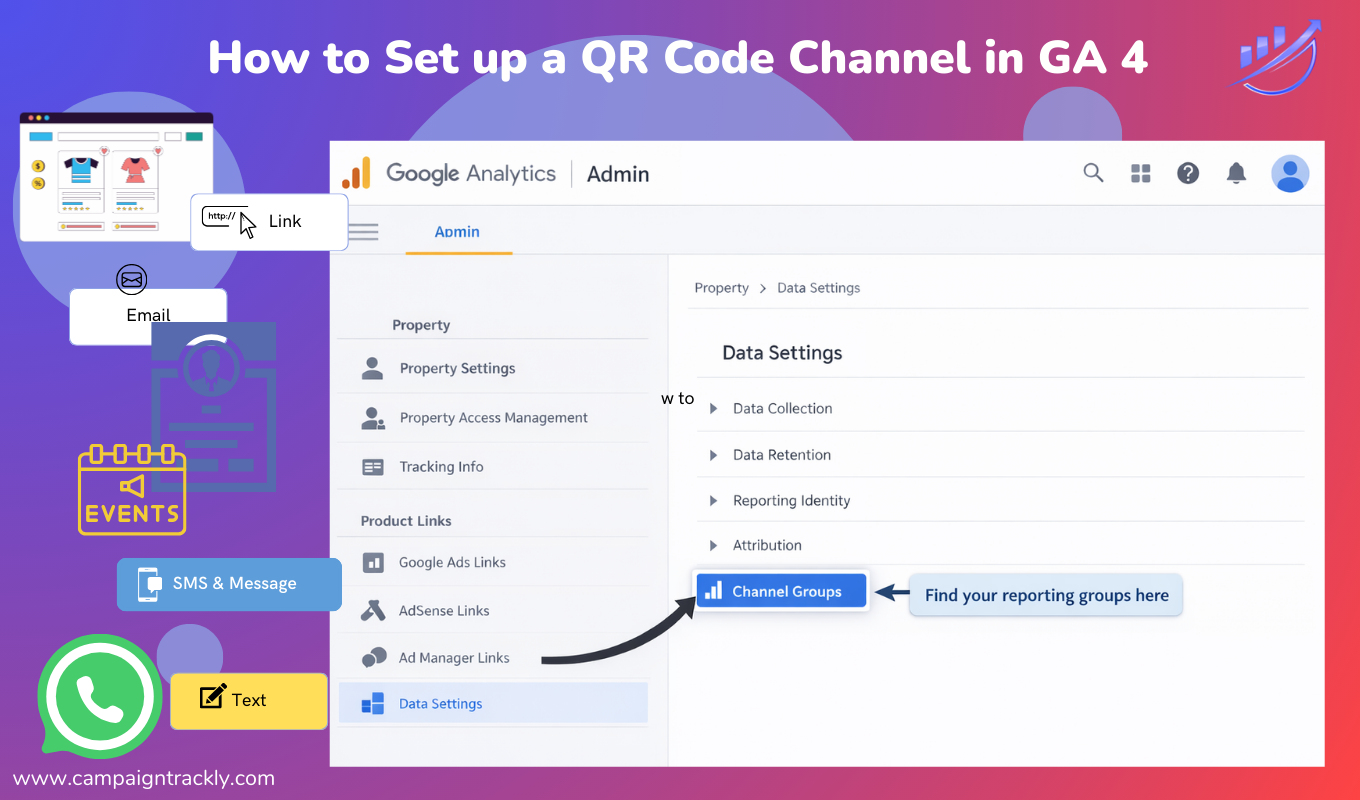
How to Create a QR Code Channel in GA4 – A Quick and Easy Guide
GA4 does not include a built-in QR code channel, but with intentional UTM tagging and a custom channel group, QR traffic can be reported accurately across industries.
Google Analytics 4 (GA4) does not automatically classify QR codes as a channel.
To implement GA4 QR code tracking so performance is measured correctly, QR destination URLs must be tagged with UTMs and identified using a custom GA4 channel group based on source or medium.
Why QR Traffic Often Appears as “Direct” in GA4
Google Analytics 4 relies on referrer data to classify traffic. QR scans typically originate outside the browser — from printed materials, signage, mailers, or physical environments — which means GA4 receives no referrer signal.
When QR links are not explicitly tagged:
-
Traffic is grouped under Direct
-
Offline campaigns appear invisible
-
QR performance is underestimated or dismissed
This is not a GA4 error. It is a labeling issue.
Step 1: Use a Consistent UTM Structure for QR Codes
Before defining a QR channel in GA4, QR links must be labeled consistently.
Recommended baseline UTM structure
This structure ensures that QR traffic can be identified reliably across campaigns, placements, and reporting tools. Without consistent UTMs, channel rules cannot work.
Step 2: Create a QR Code Channel in GA4
If your UTMs are already defined, QR can be added as its own acquisition channel in GA4. To compare performance accurately across channels, UTM source and medium values must be applied consistently and map cleanly to GA4 channel definitions. If UTMs are used to represent different types of channels or mixed concepts, GA4 attribution can become fragmented, resulting in inaccurate or misleading reports.
How to create a QR channel group
QR traffic should be identified explicitly using utm_source=qr, which allows a dedicated QR Code channel to be created without reclassifying other offline traffic.
-
Open GA4 Admin
-
Navigate to Data Settings → Channel Groups
-
Edit your primary channel group (or create a new one)
-
Add a new channel named QR Code
-
Apply the following rule logic:
-
Save and publish the changes.
What This Enables in GA4
After the channel group is applied, QR traffic appears consistently in:
-
Traffic acquisition reports
-
Campaign performance views
-
Conversion attribution paths
-
Channel comparison analyses
QR stops being buried under Direct traffic and becomes a measurable acquisition channel.
Industry Considerations: Healthcare, Financial Services, and Tech Vendors
This approach is particularly valuable for industries where engagement often begins offline but reporting expectations are high.
-
Healthcare and pharma teams use QR codes in patient education, congress materials, field engagement, and support programs, where privacy, auditability, and governance are critical.
-
Financial services organizations rely on QR codes for branch signage, printed disclosures, direct mail, and client communications, where offline engagement must be measurable without collecting personal data.
-
Technology and enterprise teams use QR codes at conferences, onboarding programs, physical installations, and events, where leadership expects clear attribution to digital outcomes.
By reporting at the campaign level — rather than the user level — QR performance can be measured accurately while aligning with GA4 data governance requirements.
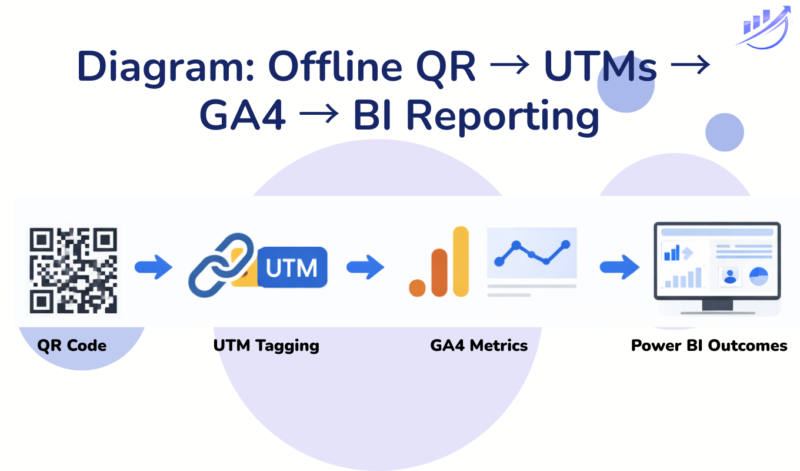
Create a QR channel group in GA4 an tag QR links with UTMs consistently to showcase impact on company growth in downstream applications
Reporting Beyond GA4: BI Tool Guidance
GA4 is best used to measure outcomes, while QR platforms measure execution.
-
Looker Studio
Ideal for GA4-native reporting, executive dashboards, and shareable views. It offers a free GA4 connector and works well for campaign-level QR reporting. -
Power BI
Better suited for deeper modeling when QR or short-link data lives outside GA4. Power BI enables richer analysis and storytelling, with refresh options depending on license level.
Best practice is to join GA4 and QR data at the UTM campaign level, not at the user level.
GA4 QR Code Tracking: Common Questions & Troubleshooting
1. Why does my QR traffic still show as Direct in GA4?
QR traffic appears as Direct when destination URLs are not tagged with UTMs. Because QR scans originate outside the browser, GA4 has no referrer unless UTMs are present.
2. Can I track QR codes in GA4 without violating data policies?
Yes. Measuring QR performance using aggregated session and conversion metrics at the campaign level aligns with GA4 governance and avoids storing user-level data.
3.Why isn’t my QR channel appearing immediately in reports?
Custom channel group changes in GA4 are not retroactive. QR traffic will appear under the new channel only after the rules are created and applied.
4.Does GA4 automatically track QR codes?
No. GA4 does not automatically identify QR scans. QR links must be intentionally labeled and optionally classified using a custom channel group.
5.Should QR be treated as a source or a medium?
QR is best treated as a source, while the medium reflects the environment where the scan occurred (for example, offline, print, email, or web). This preserves attribution clarity.
Quick Reference Table
| Where the QR Appears | utm_source | utm_medium |
|---|---|---|
| Print / Signage | qr | offline |
| Website | qr | web |
| qr | ||
| SMS / Text | qr | sms |
| Mobile App | qr | app |
| Presentation / Slides | qr | presentation |
6. How to Combine UTMs for Optimal QR Code reporting in GA4?
Examples: UTM_Source, UTM_Medium, and UTM_Content Combinations
| Where the QR Code Appears | utm_source | utm_medium | utm_campaign | utm_content | Notes |
|---|---|---|---|---|---|
| Printed flyer / poster / brochure | qr | offline | growth_webinar | flyer | Physical, offline interaction |
| Direct mail (letter, postcard) | qr | offline | b2c_webinar | postcard | Common for campaigns and outreach |
| Website (QR shown on page) | qr | web | growth_webinar | homepage_banner | QR discovered in a web context |
| Email (QR embedded in email) | qr | growth_webinar | event_invite | Keeps QR scans comparable to email clicks | |
| SMS / text message | qr | sms | growth_webinar | text_invite | Preserves SMS attribution |
| Mobile app | qr | app | growth_webinar | in_app_message | QR shown inside a native app |
| Presentation / slide deck | qr | presentation | growth_webinar | closing_slide | Used at conferences or webinars |
| Event signage / booth display | qr | offline | conference_2026 | booth_sign | Offline event environment |
| Kiosk / tablet display | qr | offline | member_engagement | kiosk | Semi-digital but offline-origin |
Conclusion
GA4 does not recognize QR codes as a channel by default. However, with consistent UTM tagging and a simple custom channel group, QR becomes visible, attributable, and defensible across analytics and BI platforms.
For organizations investing in offline engagement, this is no longer optional — it is foundational.