The three tags Google Analytics requires for accurate campaign tracking are Medium, Source, and Campaign
The utm_medium
1. Google Analytics (GA4) requires the Medium or UTM_Medium tag to be present in your destination URL for accurate campaign tracking across channels.
- The Medium tag, or UTM_Medium indicates the channel which generates visitor traffic to your website.
- Recommended formatting: utm_medium.
- You need to include a medium tag in all of your destination URLs because without it, Google Analytics will not know which channel to attribute this traffic to.
- As a result, you will end up with incomplete reports with an “Unspecified” traffic.
- All utm_medium tags you use have to be the same as the GA4 platform’s Channel Tag Groupings to prevent broken reporting and “unspecified” traffic.
3 Key utm_medium takeaways:
It’s required
Add a utm_medium to every campaign destination URL.
It should be standard for GA4 channel grouping:
Ensure the value you are using is in the GA4 Channel Group or your traffic will get mis-reported.
Learn how to avoid utm_medium issues by reading this blog about the 10 campaign tracking Issues that quietly break reporting.
It should be always the same value and format:
Format your values consistently: stick with cpc or ppc—not both. And always use lower case
If you tag one link as utm_medium=cpc and another as utm_medium=CPC, GA4 will treat them as two different mediums, fragmenting your reports.
GA4 The UTM Campaign Holy Trinity
Master the 3 UTM Pillars of GA4 Campaign Tracking
Indicates the high-level channel (e.g., cpc, email, social). Must match GA4 Channel Groupings or traffic becomes "Unassigned".
Identifies the specific platform (e.g., google, facebook, linkedin). Always use lowercase to avoid fragmented data.
The internal name to group your efforts. Connects all clicks to a single bucket for easy ROI analysis.
utm_campaign=2026_q1_product-launch_signup
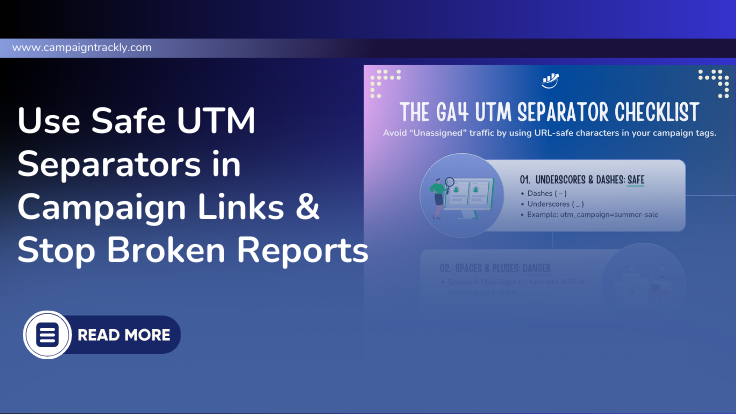
Use Underscores ( _ ) or Dashes ( - ) for clean URLs.
Pipes ( | ), Plus ( + ), or Brackets [ ] break reporting.
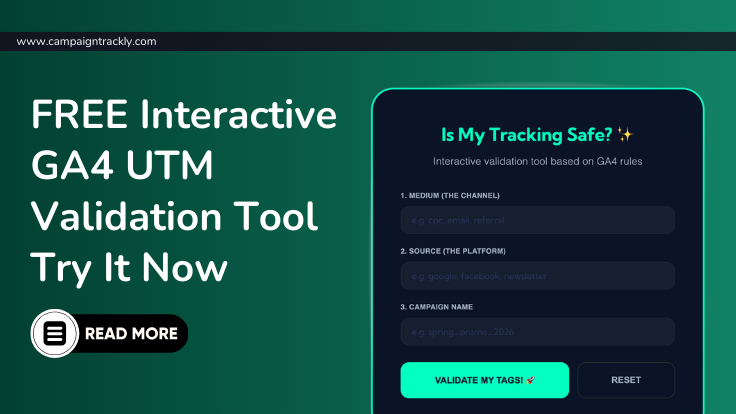
Is your campaign tracking leaking money?
Use our interactive UTM parameter validation tool to ensure your tags are correct.
Validate your UTMs here →The utm_source
2. Google Analytics requires the Source or UTM_Source tag to be included in your destination URL for accurate campaign tracking across each web source.
- The Source tag, or UTM_Source shows you all the external websites or web properties that generated visits to your own website or app.
- Recommended formatting: utm_source.
- Together with the Medium tag, when added to a destination URL, Source helps you get more granular understanding about the most valuable referrers of traffic to your website.
2 Key utm_source takeaways:
It’s required
utm_source is one of the 3 required UTM parameters that you need to add to every link to be able to track your marketing campaigns.
Ensure consistency
The utm_source tags in your destination URLs should have the same format to avoid putting traffic in multiple buckets and having to manually reconcile numbers.
Format your values consistently: do not use FB, Facebook, facebook and meta in different URLs.
- Pick one consistent value and format it in lowercase to avoid broken reporting.
The utm_campaign
3. Campaign Name or UTM_Campaign. Google Analytics requires the name of your campaign to be included in your destination URL, so that it can put all traffic associated with the campaign in one bucket.
- The Campaign Name tag, or UTM_Campaign, is mandatory for your destination URL. Recommended format: utm_campaign
- Without it all your traffic will be send to the general “referrer” or direct traffic and all your hard work in implementing the campaign will be lost – you won’t be able to showcase how much traffic and conversions you generated
3 Key utm_campaign takeaways:
It’s required
Make sure you always add this tag – without it GA4 will not know where to group all visits associated with your campaign and this will break reporting.
It should always be the same format:
- For example:
utm_campaign = [year]_[quarter]_[campaign-name]_[objective] - How it looks in real life:
utm_campaign=2026_q1_product-launch_signup- Read this blog to learn more about the campaign tag and how you can easily set up all your campaign tracking for successful reporting
Multiple words or metadata should be separated with (_) or (-)
- Do not separate multi-word campaign names or metadata with pipe (|) or brackets() or (+) as these elements usually get interpreted as different characters by the GA4 system and you might end up having broken links or your reporting will be impacted negatively
- Use the safest separators only – (_) or (-)
Stop "Direct" Visits from Stealing Your Campaign Traffic
Additional FREE Resources:
- Download the FREE 3-minute Campaign Tracking QA Checklist.
- Learn how to enable your primary GA4 channel group.
- https://regexr.com/ – makes it super easy to troubleshoot sources and mediums when you don’t know how to deal with the pesky regex (regular expression) formulas.
- GA 4’s guide to how they group traffic/visits/clicks by source and medium in default channels: https://support.google.com/analytics/…
- CampaignTrackly’s video resources that can walk you through GA4 and how easy it is for you to find your campaigns in the GA4 platform.
Free GA4 DIAGNOSTIC
Is Your GA4 Campaign Data Actually Accurate?
In 90 seconds, this diagnostic scan checks your GA4 campaign data and UTM tags, revealing misclassified traffic and broken parameters that hurt your marketing performance. Most teams find 20-70% hidden issues as a result of this scan.
The Audit Includes:
👉 Check My Campaign Integrity Score
Clear, actionable recommendations provided instantly.
Easily Build a Reliable Campaign Tracking Process
Find out why our CampaignTrackly UTM Builder platform helps businesses like yours automate fully campaign tracking, making it super easy to ensure your UTM links are consistent and always accurate with minimal effort an no manual work.