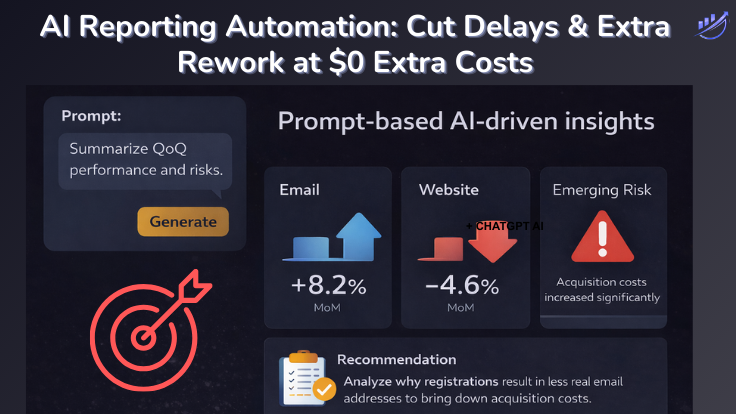
How AI Reporting Automation Eliminates Reporting Rework and Delays
Why reporting takes so long—and how AI reporting automation removes the rework behind it.
Reporting doesn’t take long because data is slow. It takes long because of hidden rework—manual interpretation, follow-ups, and repetition.
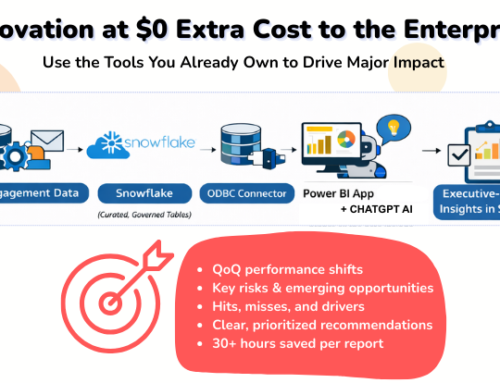
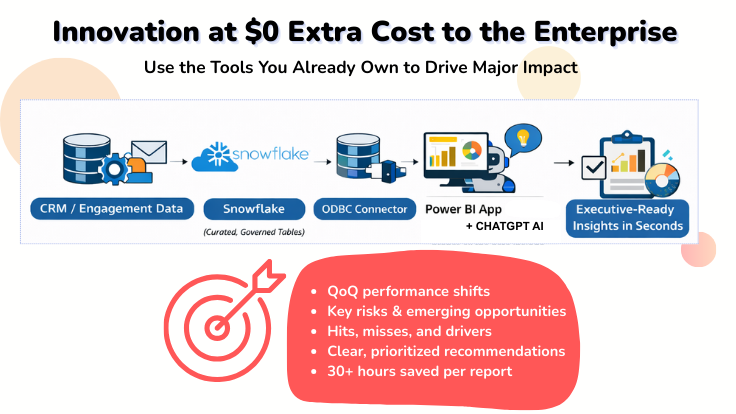
In a previous post, I showed how enterprises can automate quarterly reporting at $0 extra cost using tools they already own.
This follow-up goes one level deeper.
It shows where reporting time is actually lost—and how AI reporting automation trims the rework and delays that slow teams down.
Reporting doesn’t take too long because data is slow. It takes too long because of hidden rework.
- Manual interpretation.
- Repeated explanations.
- Follow-up questions that trigger new slices, new views, and new summaries.
This is where time disappears—and where AI reporting automation creates real value.
What Is AI Reporting Automation?
AI reporting automation is the use of governed data models and AI prompts to automatically generate reporting insights, narratives, and recommendations—eliminating manual interpretation, repetitive summaries, and static report rework.
It doesn’t replace analysts.
It removes the busywork that causes reporting delays.
Where Reporting Time Is Really Lost
In most organizations, time isn’t spent pulling data. It’s spent mining, analyzing, slicing, explaining it.
A typical reporting cycle includes:
-
Extracting and validating data
-
Building or refreshing dashboards
-
Writing manual summaries
-
Answering follow-up questions
-
Re-slicing data when new questions arise
-
Repeating the same narrative for different audiences
Each step adds hours—often days—to every reporting cycle. This is the hidden cost of static reporting.
Why AI Reporting Automation Replaces Static Reports
Static reports assume:
-
The right questions are known upfront
-
One narrative fits all audiences
-
Interpretation happens once
In reality:
-
Questions change constantly
-
Executives want answers, not charts
-
Every follow-up creates more rework
AI reporting automation changes the workflow entirely.
Instead of rebuilding reports, teams maintain:
-
A governed data model
-
Automatically refreshed data
-
AI prompts that generate insights on demand
The report doesn’t change. The questions do.
Where the Costly Rework Disappears (30+ Hours Breakdown)
1. Manual Narrative Writing (8–10 hours saved)
Analysts no longer write executive summaries by hand.
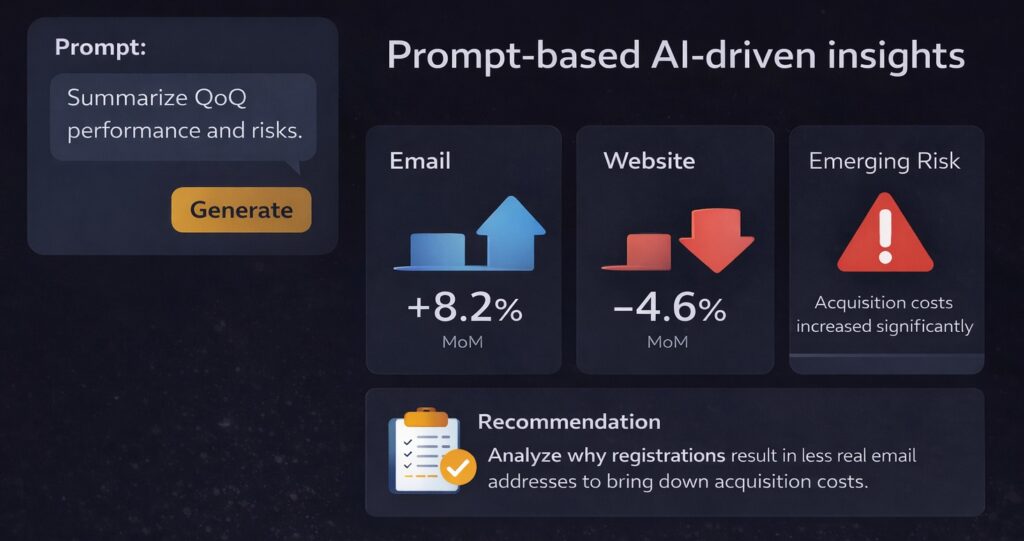
AI reporting automation:
-
Summarizes QoQ performance
-
Highlights key shifts
-
Surfaces risks and drivers
Narratives are generated in seconds, not hours.
2. Ad-Hoc Follow-Ups (6–8 hours saved)
Instead of rebuilding views when leaders ask:
-
“What changed?”
-
“Why did this decline?”
-
“What should we focus on next?”
Teams ask a new prompt. No rework. No new slides.
Get bullet-proof GA4 Campaign Tracking
Align GA4 with Your CampaignsSee the 6 Easy Steps to Gain Control of Your Data
Read the 6 easy steps here.10 UTM Tracking Issues that Break Attribution
Fix Underlying IssuesFind Out What is Impacting Your Data
Check if you have the same 10 issues.3. Re-Slicing for Different Audiences (6–8 hours saved)
The same governed model supports:
-
Multiple brands
-
Multiple products
-
Regions
-
Leadership levels
AI adapts the narrative. The data logic stays the same.
4. QA and Consistency Checks (4–6 hours saved)
When logic lives upstream:
-
Definitions don’t drift
-
Metrics don’t change per report
-
Comparisons stay consistent
Less time is spent reconciling why numbers don’t match.
5. Report Regeneration (4–6 hours saved)
When new data arrives:
-
The model refreshes automatically
-
Insights regenerate on demand
-
No one rebuilds slides
The report is always current.
Why AI Reporting Automation Doesn’t Eliminate Analysts
AI reporting automation doesn’t replace expertise—it removes repetition.
Analysts still:
-
Define meaningful metrics
-
Design Snowflake queries
-
Validate edge cases
-
Interpret real-world business context
What disappears is:
-
Copy-paste work
-
Manual summarization
-
Repetitive explanations
Time shifts from formatting to thinking.
The Business Impact Beyond Time Saved
The real ROI isn’t just hours saved.
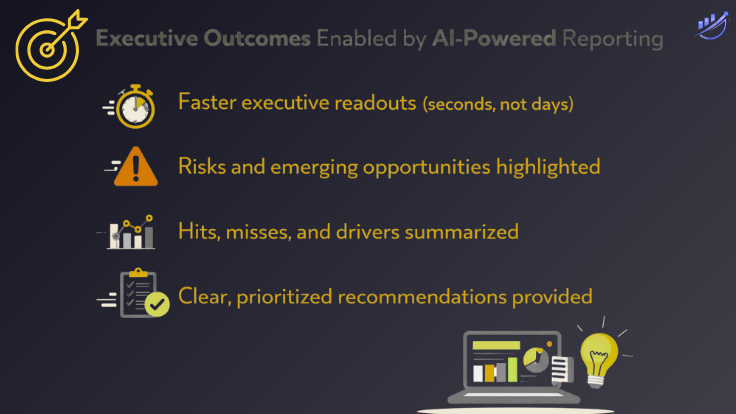
AI reporting automation delivers:
-
Faster executive decisions
-
Fewer misunderstandings
-
Higher trust in data
-
Better alignment across teams
Static reports inform. Prompt-driven insights move the business.
Final Takeaway
If reporting takes days, the cost isn’t just time—it’s opportunity.
By combining:
-
Dynamic data in Snowflake
-
Shared semantic meaning in Power BI
-
On-demand insight through AI prompts
AI reporting automation eliminates costly rework, cuts delays, and consistently saves 30+ hours per reporting cycle—while delivering better, more trusted outcomes.
If you haven’t read it yet, start with how to automate quarterly reporting at $0 extra cost to the enterprise.
Frequently Asked Questions About AI Reporting Automation
What is AI reporting automation?
AI reporting automation uses governed data models and AI prompts to generate insights, summaries, and recommendations automatically—eliminating manual reporting rework and delays without sacrificing accuracy or governance.
Does AI reporting automation replace analysts?
No. AI reporting automation removes repetitive manual work such as summarization and rework. Analysts remain essential for defining metrics, validating logic, and ensuring insights reflect real business context.
How does AI reporting automation reduce reporting delays?
Reporting delays are caused by manual interpretation, follow-up questions, and repeated re-slicing of data. AI reporting automation eliminates these steps by generating on-demand insights from a governed data model.
Is AI reporting automation secure for enterprise data?
Yes, when implemented correctly. Security is maintained through governed data layers, role-based access controls, and AI prompts restricted to approved enterprise data models.
Do you need new tools to implement AI reporting automation?
Not necessarily. Many organizations already use tools like Snowflake, Power BI, and AI capabilities in the Microsoft ecosystem. The value comes from connecting existing tools intelligently, not buying new platforms.